
Bookly Pro

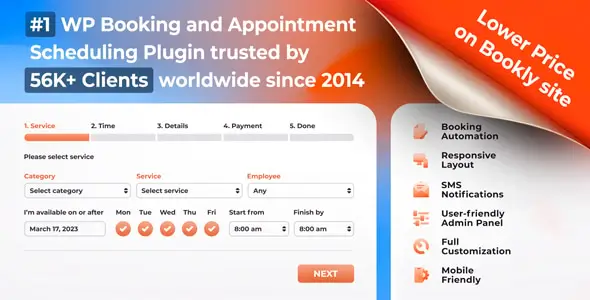
I’ve tested a lot of booking tools for WordPress, and most of them fall into one of two camps. Too simple, so they break the moment a real business touches them. Or too bloated, so setup turns into a side job. Bookly Pro sits somewhere in the middle. Not perfect. Not cheap once you start expanding it. But it usually feels built for people who actually run appointment-based businesses, not for theme demos.
At its core, this is a scheduling plugin for WordPress. A client picks a service, chooses a time slot, fills in their details, and books. That part is standard. What makes it useful is how it handles the messy stuff around that process. Staff schedules. Service duration. Time gaps between sessions. Basic customer management. Rescheduling and cancellations. The things that sound small until your inbox gets wrecked by them.
What I like about Bookly Pro is that it doesn’t pretend to be magic. It’s a system. You still need to think through your booking flow. If your business rules are chaotic, the plugin won’t save you from that. But if you already know how appointments should work, it gives you a solid frame. For salons, clinics, tutors, coaches, repair services, or anyone selling time slots, that matters more than flashy design.
The plugin is also clearly made for people who want control without building a custom app. You can shape the booking form, define services, assign staff, and present available times on the site without asking users to call or message first. That alone cuts a lot of friction. People book faster when they don’t have to negotiate basic availability.
Still, let’s be honest. Bookly Pro can become expensive in practice. The base product covers the booking engine, but many businesses end up needing extras. Sometimes that’s payment handling. Sometimes deeper automation. Sometimes external integrations. That model works, but it also means the final cost may be very different from the first price you see. If you hate plugin ecosystems with paid extensions, this will annoy you.
Another real point: it lives inside WordPress, with all the good and bad that implies. Good, because you keep the booking flow on your own site. Bad, because you are still dealing with plugin updates, theme conflicts, caching weirdness, and the usual WordPress housekeeping. If your site is already fragile, adding a booking layer won’t make life calmer.
The interface is decent, though not exactly something I’d call elegant. It’s practical. You click around, you find the settings, and after a while the logic starts to make sense. New users may need time. Not because it’s badly made, but because scheduling is one of those tasks that gets complicated fast. One staff member is easy. Three staff members, five services, breaks, holidays, and different durations? That’s where any booking tool starts showing its true face.
Where Bookly Pro usually does well is customer self-service. If people can review, manage, or cancel bookings without writing to you, the plugin is doing its job. That saves admin time. It also reduces the strange back-and-forth that kills small teams. A booking system should remove routine, not create more of it.
As for the brand itself, the impression is pretty clear: this is not trying to be a broad “business platform.” It’s focused on appointment scheduling and the digital products around that need. The main plugin is the center. Add-ons and extensions build out the edges. That product logic makes sense. It’s modular enough for growing businesses, but it can also make you feel like you’re assembling your final setup piece by piece.
So my honest take is simple. Bookly Pro is good for businesses that sell appointments and need a serious booking layer on WordPress. It is not the best choice for people who want a five-minute setup with zero decisions. It is also not ideal if you already know you’ll need a fully custom workflow from day one. But for the large middle group — people who need order, automation, and fewer scheduling headaches — it earns its place.