
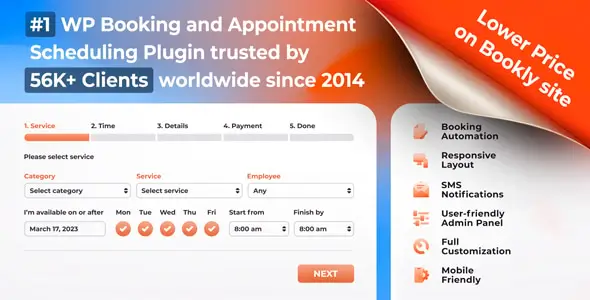
Bookly PRO is built for service businesses that sell time rather than physical stock: salons, clinics, tutors, consultants, fitness studios, photographers, and shared workspaces. It runs inside WordPress and combines a customer-facing booking flow with staff schedules, service pricing, payments, notifications, and an admin calendar. Its main advantage over simpler calendar plugins is the expandable add-on ecosystem; the trade-off is that advanced setups can become dependent on several separately maintained modules.
Key capabilities
- Configurable booking forms: publish the classic step-by-step form or newer form layouts on pages and posts. Shortcode parameters can preselect a service, category, or staff member for dedicated landing pages.
- Staff and availability management: assign services to employees, define individual working hours, breaks, holidays, prices, and appointment durations.
- Calendar synchronization: Google Calendar integration can keep Bookly appointments and external availability aligned. Exact sync behavior depends on the configured plan and add-ons.
- Payments and commerce: accept supported direct payment methods or route checkout through WooCommerce using the dedicated integration add-on. This is useful when tax, invoices, or additional gateways already live in WooCommerce.
- Automated communication: send email reminders and confirmations. SMS and WhatsApp delivery use Bookly Cloud services and may generate separate usage charges.
- Multilingual forms: booking-form strings can be translated through WPML. There is no documented native ACF data model, so ACF should not be assumed to control Bookly services or appointments.
- Modular extensions: recurring appointments, deposits, group bookings, locations, waiting lists, custom fields, service extras, and file uploads are provided through optional add-ons rather than an oversized core.
What it does not do: Bookly is not a hotel inventory engine or a multi-vendor marketplace. Resource-heavy workflows, vendor payouts, and complex accommodation rules require another platform or custom development. Many headline features are add-ons, so licensing and compatibility need to be mapped before quoting a client project.
Where Bookly PRO fits
The plugin suits single-location practitioners as well as agencies deploying appointment systems for teams with multiple services. It is less convincing for projects that need a completely bespoke reservation state machine. Developers can extend the workflow, but Bookly remains an opinionated scheduling application rather than a generic framework.
Setup and technical implementation
Configuration starts with services, staff assignments, working hours, booking rules, notifications, and payment options. The form is then inserted through Bookly’s publishing tools or a shortcode. Gutenberg and Elementor can host that shortcode, but Bookly should not be described as an Elementor theme or an ACF-driven component.
Most visual changes belong in Bookly’s Appearance area, including form layout, colors, labels, and visible steps. Site-specific CSS can live in the child theme’s style.css, while hooks and integration glue belong in functions.php or, preferably, a small custom plugin. Files such as header.php and archive.php only control the surrounding theme layout; overriding them does not customize Bookly’s booking engine. Direct edits to Bookly plugin templates are fragile because updates can replace them.
The front end is interactive and therefore not zero-JavaScript. CSS and JS weight varies with the selected form and installed add-ons, so blanket “lightweight” claims are not defensible. Production sites should test booking pages with caching, minification, consent, and checkout exclusions enabled.
FAQ
Can separate forms be created for individual staff members?
Yes. Shortcode settings can preselect or restrict the employee shown in a form.
Does it work with WPML?
Yes. The official documentation provides a workflow for translating booking-form content with WPML.
Are group bookings included automatically?
No. They require the Bookly Group Booking add-on.
Can Bookly use WooCommerce gateways?
Yes, through the WooCommerce integration add-on and a configured WooCommerce checkout.
Reviews
There are no reviews yet.