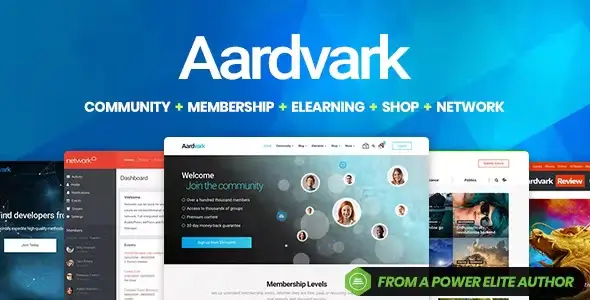
Aardvark is built for WordPress projects where user accounts, groups, activity streams and gated content matter more than decorative landing pages. Typical deployments include private communities, paid membership portals, social learning sites and niche networks. Its main advantage over a generic multipurpose theme is the amount of presentation work already handled for BuddyPress and membership-related plugins. Developers get a coherent application-style interface rather than an ordinary blog with community screens bolted onto it.
Key capabilities
- BuddyPress integration: provides styled member profiles, groups, activity views and profile fields suitable for an actual social network.
- Paid Memberships Pro support: allows access levels and subscription-based content to sit inside the same visual system.
- WooCommerce compatibility: covers conventional product sales, checkout and customer account workflows alongside community features.
- WPBakery Page Builder: includes theme-specific elements for activity feeds, post grids, carousels, pricing columns, showcases and testimonials. This is not an Elementor-based theme.
- Sensei LMS integration: makes Aardvark usable for course communities where lessons and member interaction share one installation.
- Youzify support: accommodates richer BuddyPress profile and community interfaces when the core BuddyPress UI is too basic.
- WPML workflow: supports translated theme strings and WPBakery content; multilingual BuddyPress installations additionally require BuddyPress Multilingual.
Practical limitations: Aardvark is plugin-dependent, so a fully configured site carries more PHP, database and front-end overhead than a lean publishing theme. It also uses WPBakery rather than a native block-first or Elementor workflow. Advanced member discovery, marketplace-style vendor features and complex faceted filtering are not supplied by the theme and need separate plugins or custom development.
Suitable projects and users
The theme fits agencies assembling paid communities, internal networks, alumni portals, interest-based forums and learning memberships without designing every BuddyPress screen from scratch. It is less attractive for developers standardising exclusively on Gutenberg blocks, or for high-traffic social platforms that require a heavily decoupled front end and bespoke query architecture. Shared hosting may cope with a small installation, but an active BuddyPress stack is better placed on managed WordPress hosting or a properly configured VPS.
Setup and technical model
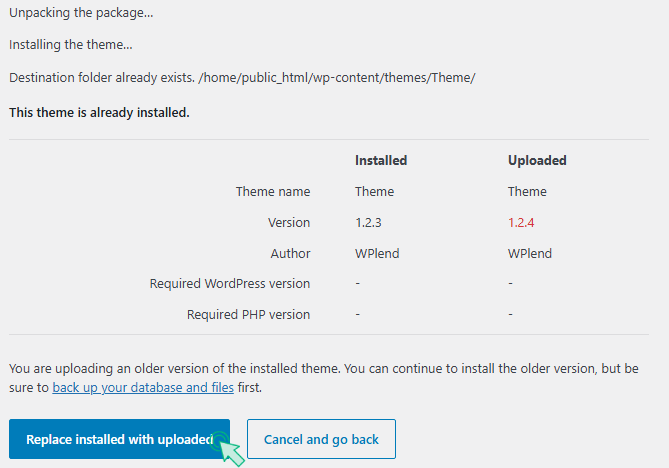
Installation follows the regular WordPress theme process. Aardvark then exposes its setup area for recommended plugins, updates and demo imports. Predesigned homepages can be imported, while custom pages are assembled with WPBakery. The dedicated Homepage template adds page-level options, and global controls cover areas such as headers, footers, navigation, sidebars, advertisements, posts, categories, login and registration.
Routine layout and branding changes belong in Theme Options and page settings. Structural edits should go into the bundled Aardvark Child theme. Parent templates can be copied while retaining their directory structure; for example, lib/inc/buddypress-functions.php becomes aardvark-child/lib/inc/buddypress-functions.php. The same child-theme approach applies when overriding files such as header.php or archive.php. CSS patches should also be kept outside the parent theme so updates do not erase them.
The codebase is organised conventionally enough to support template overrides, but it should not be described as lightweight. The developer documentation lists an installable archive of roughly 50 MB, and the combined WPBakery, BuddyPress and membership assets can produce a substantial CSS/JS payload. Caching, image optimisation, minification, selective plugin loading and query profiling are sensible production requirements.
FAQ
Does Aardvark include a child theme?
Yes. Aardvark Child can be activated from the theme setup add-ons screen.
Can demo homepages be imported?
Yes. Demo layouts are available through Aardvark > Theme Setup > Import Demo Data.
Is WPML supported?
Yes, with WPML CMS, String Translation and Translation Management. BuddyPress sites also need BuddyPress Multilingual.
What server memory is recommended?
The documentation specifies a PHP memory limit of at least 256 MB and a 64 MB upload limit.