
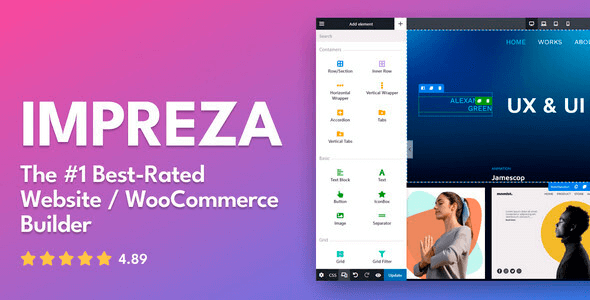
Impreza is a multipurpose WordPress theme aimed at agency sites, corporate portals, portfolios, content-heavy projects, and conventional WooCommerce stores. Its main distinction is the tightly integrated UpSolution toolset: instead of stitching together separate header, loop, popup, and product-page builders, developers can manage those areas through one visual system. This makes it practical for repeatable client builds, although teams already standardized on Elementor will face an unfamiliar workflow.
More Than Rows and Hero Sections
- Live Builder and WPBakery: pages can be edited through Impreza’s front-end Live Builder or the bundled WPBakery Page Builder. The two editors are interchangeable, while WPBakery remains optional.
- WooCommerce layout control: visual templates are available for product pages, catalogs, carts, checkout screens, and thank-you pages, reducing routine PHP template work.
- Reusable layout system: headers, footers, page templates, grid layouts, and reusable blocks can be built once and assigned where required.
- Dynamic data support: ACF fields, post data, taxonomy values, and custom post types can be inserted into theme elements and listing layouts.
- Native lists and filters: post, product, term, and user lists support ordering, search, result counters, display conditions, and faceted filtering.
- Localization stack: documented compatibility includes WPML and Polylang, alongside WooCommerce and common form, SEO, caching, and migration plugins.
- Modular front end: unused theme modules can be disabled, and the Auto Optimize routine removes unnecessary CSS and JavaScript from generated assets.
Where it stops: Impreza is not an Elementor theme and does not provide an equivalent migration path for Elementor-built pages. Its native filtering is useful for standard catalogs, but marketplace logic, vendor dashboards, subscriptions, and advanced inventory workflows still require dedicated plugins. Dense pages assembled from many nested rows, animations, carousels, and third-party widgets can also produce a bulky DOM despite asset optimization.
Projects Where the Stack Earns Its Keep
The theme fits freelancers and agencies that need to ship branded business sites without rebuilding global templates for every contract. It also suits medium-sized shops, directories based on custom post types, editorial sites, course catalogs, and portfolio networks. Developers who prefer block-first Full Site Editing or highly bespoke PHP applications may find the proprietary builder layer unnecessary. Impreza supports Gutenberg as an optional module, but it is not a native block theme.
Customization Without Fighting the Parent Theme
Global colors, typography, site width, button styles, performance settings, and custom code live under Theme Options. Headers use a dedicated drag-and-drop builder with separate desktop, laptop, tablet, and mobile states. Page Templates and Grid Layouts handle singular content, archives, search results, loops, and WooCommerce presentation, so editing header.php or archive.php is rarely the first sensible move.
Site-wide CSS, JavaScript, and HTML snippets can be stored in Theme Options and survive updates. A supplied child theme should be used for PHP hooks, custom functions, or actual template overrides such as header.php, archive.php, and WooCommerce templates. Those overrides need regression testing after theme updates.
The codebase is mature and reasonably modular rather than minimal. WPBakery adds no front-end resources when its extra features are disabled, and Impreza can optimize generated CSS/JS around elements currently in use. That process must be rerun after introducing new components. Poorly chosen addons can still wipe out the performance benefit.
Questions That Come Up Before Deployment
Is WPBakery required?
No. The native Live Builder can edit complete pages, while WPBakery is bundled as an optional backend alternative.
Does it work with ACF?
Yes. ACF values can feed dynamic elements, grids, and templates, including layouts for custom post types.
Can existing Elementor layouts be edited?
No. Elementor content is not interchangeable with Impreza’s Live Builder or WPBakery structure.
Are premium plugin licenses included?
Bundled plugins can operate with the theme, but vendor template libraries and other premium services may require separate licenses.