
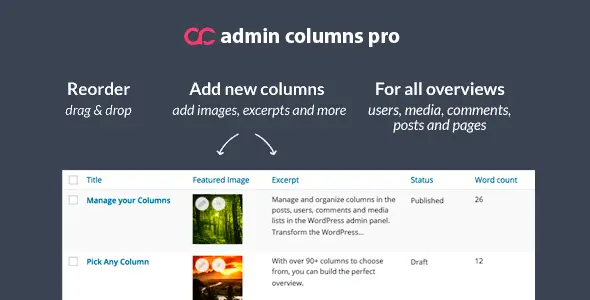
Admin Columns Pro Plugin rebuilds the working experience around WordPress list tables rather than touching the public-facing site. It suits WooCommerce stores, editorial portals, membership projects, directories, and custom-post-type builds where operators regularly handle hundreds or thousands of records. Its practical advantage over simpler column managers is that displayed data is not merely decorative: many fields can also be sorted, filtered, edited, and exported from the same screen.
Key capabilities
- Inline and bulk editing: updates posts, users, taxonomies, products, and supported custom fields without opening each edit screen.
- Smart filtering and sorting: applies field-aware operators to text, dates, numbers, relationships, and other supported data types.
- Configurable table views: creates separate column sets for different jobs, users, or roles instead of forcing every operator into one oversized layout.
- CSV export: exports the current filtered and sorted table, useful for audits, stock reports, and external processing.
- Custom-field handling: exposes native post meta and provides dedicated integrations for ACF, Meta Box, JetEngine, Pods, and Toolset Types.
- WooCommerce administration: adds workable columns for products and orders, including fields such as SKU, price, and stock status.
- Modular integrations: official add-ons cover Gravity Forms, The Events Calendar, BuddyPress, Yoast SEO, Rank Math, and SEOPress. Elementor, Gutenberg, and WPML are not its core integration layer because the plugin operates on admin tables, not page rendering.
Limitations: this is not a frontend table builder, product filter, reporting suite, or spreadsheet replacement. Large bulk operations still depend on hosting resources and database design; unindexed meta queries can remain expensive. Support for specialized third-party fields also varies by integration, and some add-ons depend on the purchased license package.
Where it fits
The plugin makes the most sense for agencies maintaining data-heavy client sites, WooCommerce managers processing catalog changes, and developers shipping structured WordPress applications. A small brochure site with ten pages will see little benefit. On a property directory, events database, or multilingual editorial installation, task-specific views can remove a surprising amount of repetitive admin work.
Configuration and developer workflow
Columns are assembled from the WordPress dashboard: available fields are added, ordered, labelled, and assigned display behaviour per list screen. Settings normally live in the database. For deployment through Git, File Storage can write each configured screen to files; the storage directory is registered through the acp/storage/file/directory filter, and configurations may be made read-only in downstream environments.
There are no Theme Options or Customizer controls. A child theme is unnecessary, and overriding header.php, archive.php, or WooCommerce templates will not change these admin tables. Project-specific logic belongs in hooks placed in a small site plugin or, less ideally, the child theme’s functions.php.
The architecture is modular and confined to wp-admin workflows, so it does not add a frontend page-builder payload. The developer does not publish a meaningful universal CSS/JS weight, and installed add-ons affect the final footprint. Code structure is extension-oriented, but performance ultimately depends on selected columns, queried metadata, and dataset size.
FAQ
Are existing settings retained after upgrading from the free edition?
Yes. The Pro edition builds on the free plugin and retains configured columns.
Does it work on WordPress Multisite?
Yes. It also provides columns for Network Users and the Sites screen.
Can configurations be version-controlled?
Yes. File Storage saves table settings outside the database for Git-based deployment.
Is an online demo available?
Yes. The official demo includes custom post types, custom fields, WooCommerce, and ACF examples.
Reviews
There are no reviews yet.