
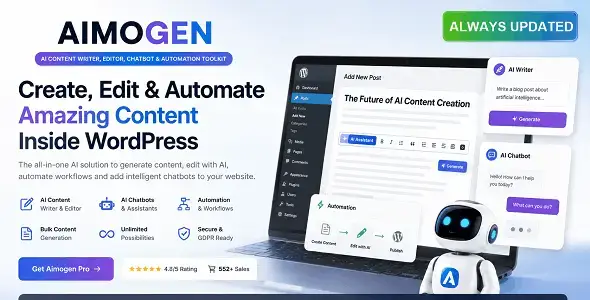
Aimogen Pro is not a WordPress theme in the conventional sense. It is an AI-assisted content production toolkit intended for editorial teams, freelancers, agencies, and site owners handling repetitive writing tasks. Its scope covers drafting, editing, conversational assistance, and workflow automation rather than page layout or storefront design.
That distinction matters. Competing products often stop at a prompt box with a few predefined templates; Aimogen Pro is positioned as a broader working environment where content can be generated, refined, and moved through repeatable processes. It is better suited to production support than to replacing editorial review.
More Than Another Prompt Wrapped in a Dashboard
- AI content generation — produces working drafts for articles, landing-page copy, product descriptions, and similar structured content.
- Integrated editing workflow — generated text can be revised without constantly moving material between a chatbot and an external editor.
- Conversational chatbot — useful for outlining, rewriting awkward passages, exploring angles, or obtaining contextual assistance during production.
- Automation tooling — reduces manual work in recurring content operations where the same sequence of generation and editing tasks is used repeatedly.
- Multiple content use cases — the all-in-one approach is practical for agencies switching between blog, commercial, and client-facing copy.
- Centralized workspace — keeps generation, editing, and chat functions in one interface instead of relying on several disconnected services.
- Modular workflow — individual tools can be used as needed; a writer does not have to run the complete automation stack for every job.
No verified native integration with WooCommerce, ACF, WPML, Elementor, or Gutenberg should be assumed from the product listing. Those are WordPress-specific compatibility claims and require explicit confirmation for the installed release.
Where the Automation Stops
Aimogen Pro does not remove the need for fact-checking, tone correction, or plagiarism review. AI output can be repetitive, inaccurate, or overly generic, particularly with technical and regulated subjects.
It is also not a visual site builder, WooCommerce extension, multilingual framework, or SEO auditing suite. API usage fees, model limits, and provider availability may apply depending on the configured AI service. High-volume publishing therefore needs cost controls and human approval gates.
A Practical Fit for Content-Heavy Work
The toolkit makes the most sense for freelance copywriters, small editorial teams, niche publishers, and agencies producing variations of similar assets. Typical jobs include first-pass blog drafts, campaign concepts, FAQ material, metadata, and bulk product-copy preparation.
Developers expecting a theme framework or a headless publishing engine should look elsewhere. Aimogen Pro addresses content operations, not frontend architecture.
Customization Without Pretending It Is a Theme
There is no WordPress Theme Options panel or Customizer workflow to discuss unless the product is being connected to a separate WordPress installation. Likewise, files such as header.php, archive.php, and single.php belong to the active WordPress theme, not to Aimogen Pro itself.
Presentation changes should be handled in the host project or a child theme. Direct edits to vendor files are brittle and will complicate updates. Claims about clean code, minified bundles, or lightweight CSS/JS cannot be made responsibly without auditing the exact downloaded build; production deployment should include bundle inspection, cache headers, and removal of unused assets.
Questions Developers Usually Ask
Is Aimogen Pro a WordPress theme?
No. It is an AI content and automation toolkit, so it does not provide templates for WordPress frontend rendering.
Does it replace an editor?
No. Generated material still requires factual, stylistic, and legal review.
Can it be used for bulk content production?
Yes, that is one of its more relevant use cases, provided automation includes approval checks and API-cost monitoring.
Are Elementor and WooCommerce supported?
Native support should not be presumed unless the current documentation explicitly lists those integrations.
Reviews
There are no reviews yet.