
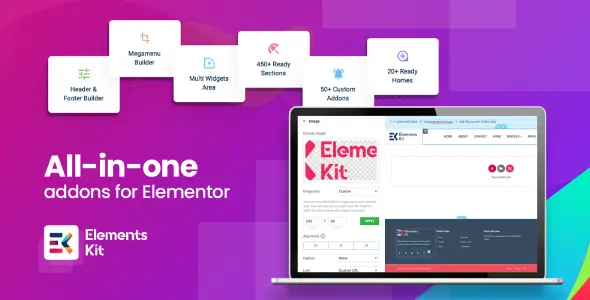
ElementsKit Pro is an extension suite for Elementor rather than a standalone WordPress theme. It suits agency sites, corporate builds, portfolios, content-heavy landing pages, and moderate WooCommerce stores where the stock Elementor widget set becomes restrictive. Its main advantage over smaller add-on packs is scope: layout widgets, site-wide templates, navigation tools, conditional content, and workflow utilities live in one plugin.
That breadth can replace several single-purpose extensions, although it also means developers should disable anything the project does not use.
More Than Another Widget Drawer
- Header and Footer Builder creates Elementor-based templates and assigns them globally or to specific home, archive, single, or individual pages.
- Mega Menu Builder adds horizontal and vertical multi-level menus containing Elementor widgets, icons, badges, and custom layouts.
- 110+ widgets and extensions cover posts, forms, pricing, tables, galleries, charts, advanced tabs, carousels, login interfaces, and other common UI patterns.
- WooCommerce elements provide product lists, carousels, category displays, and mini-cart layouts. They are useful for storefront presentation, not full shop-template engineering.
- Conditional Content controls visibility according to conditions such as user role, device, or time, reducing the need for small custom snippets.
- Cross-Domain Copy Paste moves Elementor sections, columns, and widgets between installations—a practical feature for agencies maintaining a shared component library.
- Modular loading controls allow unused widgets and modules to be switched off. According to the developer, disabled components do not enqueue their assets.
- Third-party form styling covers tools including Contact Form 7, Fluent Forms, Ninja Forms, WPForms, Mailchimp, and TablePress.
Where the Toolkit Stops
ElementsKit Pro does not turn Elementor into a native Gutenberg workflow. Existing layouts remain dependent on Elementor, and migrating them to blocks later will require rebuilding. ACF-based dynamic architectures are not its core purpose; Elementor Pro or additional dynamic-content tooling may still be needed.
Its WooCommerce widgets handle presentation, but advanced faceted filtering, checkout customization, subscriptions, or marketplace logic require dedicated plugins. Complex mega menus, nested widgets, sliders, and motion effects can also produce a heavier DOM and larger CSS/JS payload than a hand-coded theme. Modular controls help, but they do not make an overbuilt page cheap to render.
The Projects That Actually Benefit
The plugin makes the most sense for freelancers and agencies assembling varied client sites under tight delivery schedules. Header templates, reusable sections, ready-made pages, and cross-site copying remove repetitive production work. It is less compelling for lean brochure sites already covered by Elementor’s native controls, or for bespoke builds where markup quality and Core Web Vitals take priority over visual-editor flexibility.
Configuration Lives Above the Theme Layer
Installation requires Elementor, but not Elementor Pro. Widgets appear under the ElementsKit category in the editor, while modules can be managed from the ElementsKit area in WordPress admin. Headers, footers, and mega-menu content are stored as builder templates rather than edited through the Customizer.
Because this is a plugin, there is no ElementsKit header.php or archive.php intended for child-theme overrides. Theme-level structural changes still belong in a child theme, using files such as header.php, footer.php, single.php, or archive.php. Plugin files should not be patched directly because updates will overwrite modifications.
Asset handling is sensible when modules are selectively enabled. Actual page weight still depends heavily on widget count, nesting, icon libraries, feeds, animations, and third-party APIs.
Questions Developers Usually Ask
Does it require Elementor Pro?
No. ElementsKit works with the free Elementor plugin, though some dynamic workflows may still benefit from Pro.
Can unused widgets be disabled?
Yes. Individual widgets and modules can be deactivated from the plugin settings.
Does it support WordPress Multisite?
Yes, Multisite compatibility is documented by the developer. Licensing and activation limits should be checked separately.
Can its templates be edited through Gutenberg?
No. ElementsKit templates are built and maintained through Elementor.