
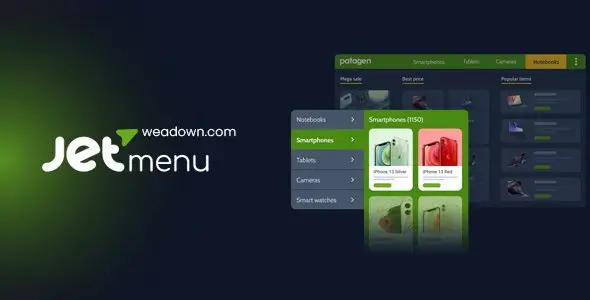
JetMenu is a WordPress navigation plugin aimed at content-heavy sites where a standard dropdown stops being practical. It fits WooCommerce stores, magazine-style portals, service directories, documentation hubs, and agency builds with large menu trees. Instead of forcing developers to hand-code multi-column dropdowns, it allows mega-menu content to be assembled visually with Elementor or the WordPress block editor.
The plugin is narrower than a general header builder, which is mostly a good thing. It handles desktop mega menus, vertical navigation, and mobile menu layouts without replacing the rest of the theme architecture.
Key capabilities
- Visual mega-menu content: individual WordPress menu items can open layouts created with Elementor, including columns, images, buttons, icons, product widgets, and other builder elements.
- Block editor workflow: mega-menu content can also be built with Gutenberg, avoiding an Elementor dependency on projects using the native editor.
- Horizontal and vertical navigation: useful for conventional headers as well as catalog sidebars, category panels, and dashboard-style interfaces.
- Dedicated mobile menu: mobile navigation can use a separate hierarchy and presentation rather than merely shrinking the desktop dropdown.
- Per-item controls: menu entries can receive icons, badges, custom dropdown positioning, and mega-menu activation without editing theme templates.
- WooCommerce-friendly content: Elementor-built panels can include product categories, promotional banners, and compatible WooCommerce widgets. JetMenu does not provide product querying or filtering itself.
- Centralized styling: typography, colors, spacing, dropdown appearance, and animation behavior are managed through JetMenu settings and widget controls.
What it does not do: JetMenu is not a complete theme, product filter, or taxonomy-management system. ACF fields and dynamic listings require suitable Elementor widgets or additional Crocoblock components. WPML can translate the underlying WordPress menus and builder content, but each language still needs a correctly assigned menu structure.
Large panels packed with sliders, product grids, and nested widgets can produce a substantial DOM and extra CSS/JS work. That is acceptable for a curated store menu, but less sensible for marketplaces containing hundreds of live categories. The plugin also cannot repair a theme that lacks a usable menu location or outputs a heavily customized navigation walker.
Suitable projects and users
JetMenu makes the most sense for Elementor implementers, freelancers maintaining WooCommerce catalogs, and agencies that need editable navigation without giving clients access to PHP. It is overkill for brochure sites with five top-level links. Developers building headless front ends or fully custom block themes will usually get more control from native navigation markup.
Setup and technical behavior
Configuration starts with a normal menu under Appearance > Menus. JetMenu is enabled for the required location, after which mega content is attached to selected menu items and edited in the chosen builder. Display widgets handle horizontal, vertical, and mobile menu output.
Most customization lives in JetMenu settings, Elementor controls, or Gutenberg blocks; there is no theme-style options panel. A child theme is not required for routine work. If a legacy theme hard-codes its header, integration may require editing header.php in a child theme or replacing the header through a theme builder. Files such as archive.php are unrelated to menu configuration. Direct plugin-template edits are fragile and will be overwritten by updates.
Asset weight depends heavily on the widgets placed inside each panel. The core scripts and styles are modular compared with shipping an entire multipurpose theme, but JetMenu is not zero-cost: animations, icons, mobile handling, and Elementor dependencies add requests and runtime work. Caching and minification help, although restrained menu content matters more.
FAQ
Does JetMenu require Elementor?
No. Current versions support mega-menu creation with Elementor and the WordPress block editor.
Can it create a separate mobile menu?
Yes. JetMenu includes dedicated mobile menu output and settings.
Does it replace the WordPress menu system?
No. It extends menus created and assigned through WordPress.
Can WooCommerce products be shown inside a dropdown?
Yes, through compatible builder widgets. JetMenu itself does not generate product queries or filters.