
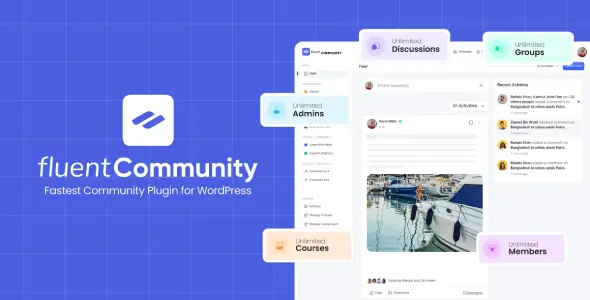
FluentCommunity Pro is built for self-hosted membership communities, private customer hubs, cohort programs and course platforms. Rather than stitching BuddyPress, an LMS and several engagement add-ons together, it provides an app-like community layer inside WordPress. Spaces, discussions, member profiles and learning content share the same interface and user base, while the site owner retains control of the data.
The plugin is particularly relevant to agencies and course operators that want a Circle-style setup without recurring platform rent. Its strongest differentiator is the tight coupling between social features and the built-in LMS. It is still a WordPress plugin, though, not a drop-in replacement for every mature membership or enterprise learning stack.
Key Capabilities
- Structured community spaces: public, private and secret spaces separate conversations without requiring multiple WordPress installations.
- Social activity layer: profiles, feeds, threaded comments, reactions, mentions, hashtags, polls, bookmarks and member following cover the usual community workflow.
- Built-in LMS: courses use a Gutenberg-based editor and support modules, lessons, quizzes, progress tracking, drip schedules, sequential locking and lesson discussions.
- Moderation and access controls: approval queues, reporting, profanity filtering, role management and configurable privacy reduce dependence on generic role-editor plugins.
- Media handling: images, audio, video and documents can be stored locally or offloaded to supported S3-compatible services, including Amazon S3 and Cloudflare R2.
- Fluent ecosystem integrations: documented connections include FluentCRM, Fluent Forms, FluentCart, FluentPlayer, FluentSupport, FluentSMTP and Paymattic. BuddyBoss and BuddyPress migration is also provided.
- Pro modules: leaderboards, badges, webhooks, SEO/XML sitemap support, secure document libraries and cloud storage can be enabled where the project needs them.
Limitations: WooCommerce, ACF and WPML are not listed as native integrations by the developer. Stores already standardized on WooCommerce may therefore need an automation bridge or custom glue code. FluentCommunity also favors its own portal UI; pixel-level restructuring is less straightforward than editing a conventional PHP theme template.
Suitable Projects and Users
The practical fit includes coaching portals, paid learning groups, brand communities, associations, internal knowledge hubs and product-support communities. Agencies benefit from keeping accounts, content and engagement data in WordPress. Large public social networks or installations with extensive legacy BuddyPress custom code require staging tests, especially around migration, moderation load and third-party extensions.
Setup, Customization and Technical Notes
Installation follows the normal plugin workflow, after which FluentCommunity adds its own admin area and setup wizard. Communities are assembled from spaces, privacy rules, courses and member permissions. Branding controls, custom slugs, welcome content and sidebar links handle routine visual changes; the course editor uses Gutenberg rather than Elementor.
This is not a theme, so overriding header.php, archive.php or similar child-theme files will not rebuild the community application. Site-wide headers and surrounding pages remain theme territory, but deeper portal changes should use documented developer APIs, CSS or a small companion plugin. Editing plugin files directly is update-hostile.
The developer describes the codebase as lightweight and performance-oriented. The focused application interface should avoid some of the template overhead found in older community stacks, but no stable CSS/JS transfer-size figure is published. Real asset weight depends on enabled modules, media, chat and integrations; production deployments should still use page-level profiling, object caching and a VPS or cloud host.
FAQ
Does FluentCommunity require coding?
No. The developer provides a setup wizard and dashboard for normal configuration.
Are other Fluent plugins mandatory?
No. FluentCommunity works independently; companion plugins add commerce, CRM, forms, video or email delivery.
What server stack is recommended?
The developer recommends PHP 8.1+, MySQL 8.0+ or MariaDB 10.5+, Nginx, Redis, NVMe storage, two CPU cores and 4 GB RAM.
Can an existing BuddyPress community be migrated?
Yes. Migration tools support BuddyPress and BuddyBoss; WP-CLI is available for larger datasets.