
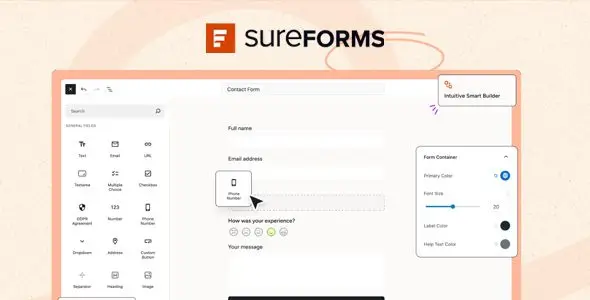
SureForms Pro is a WordPress form plugin, not a theme. It targets agency sites, lead-generation builds, membership portals, event registrations, surveys, quote calculators, and lightweight payment workflows. Its main distinction is the block-editor workflow: forms are assembled in a Gutenberg-style interface rather than a proprietary modal builder. AI generation can create a usable first draft from a prompt, while conventional drag-and-drop editing remains available when the field structure needs manual control.
More Than a Contact Form With Better Paint
- Conditional and multi-step flows: Fields can appear according to previous answers, while long applications can be split into manageable stages.
- Calculators and conversational forms: Suitable for estimates, eligibility checks, scored quizzes, and one-question-at-a-time flows without wiring together several add-ons.
- Payments without a store stack: Stripe supports one-time and recurring payments. This works well for donations, bookings, and simple service sales where WooCommerce would be unnecessary overhead.
- Submission-driven content: Entries can generate posts, products, events, or custom post types. It is useful for directory submissions and frontend publishing, although field mapping still needs careful setup.
- Local entry management: Submission data stays on the WordPress installation. Entries can be reviewed, exported, converted into PDFs, or routed through email notifications.
- Practical automation layer: Native connections include services such as Google Sheets, Mailchimp, Airtable, HubSpot, and Zoho CRM. Webhooks, Zapier, OttoKit, and automation plugins cover less common pipelines.
- Reusable deployment options: Forms can be embedded through Gutenberg, Elementor, or Bricks blocks, inserted elsewhere by shortcode, or published as standalone Instant Form pages.
Where the Edges Start to Show
SureForms Pro does not replace WooCommerce for carts, stock control, taxes, coupons, or complex checkout rules. Its payment tools are better treated as direct transaction forms. The vendor also does not advertise native ACF or WPML field synchronization, so multilingual forms and advanced metadata workflows may require separate plugins, duplicated forms, or custom glue code.
AI generation accelerates scaffolding, but generated validation rules and conditional branches still need human QA. High-stakes registration, payment, and calculation forms should never be shipped straight from a prompt.
Sensible Fits for Client Work
Freelancers can use it for contact forms, onboarding questionnaires, and quote requests without giving clients a foreign builder UI. Agencies gain import/export, broad site licensing options, native CRM handoffs, and frontend post creation. It also suits course sites, nonprofits, consultants, and small membership projects requiring registration, signatures, PDFs, or save-and-resume functionality.
Large marketplaces and deeply customized enterprise workflows will usually need WooCommerce, a dedicated CRM layer, or bespoke application code alongside it.
Customization Without Template Surgery
Forms are configured inside the WordPress block editor. Layout, fields, logic, notifications, integrations, and styling belong to the plugin’s form settings; they are not placed in Theme Options or the Customizer. Custom Form CSS handles brand-specific presentation.
A child theme is only relevant when the surrounding site layout must change—for example, overriding the active theme’s header.php, page.php, or archive.php. Editing SureForms plugin files is a poor extension strategy because updates will overwrite modifications. No verified public asset-size budget is published, so exact CSS/JS weight claims would be speculative. The plugin is presented as lightweight, but production builds should still be checked with DevTools and a performance profiler.
Questions Developers Usually Ask
Does it work outside Gutenberg?
Yes. Dedicated blocks support Gutenberg, Elementor, and Bricks; other builders can use a shortcode.
Are submissions stored on SureForms servers?
No. Form entries are stored on the WordPress site.
Can it create recurring payment forms?
Yes. Stripe-based one-time and recurring payments are supported.
Is spam protection built in?
Yes. Available options include Google reCAPTCHA, hCaptcha, and Cloudflare Turnstile.
Reviews
There are no reviews yet.