Elementor Pro is not “a theme builder”. It’s an add-on that unlocks the parts of Elementor that matter on real client work: Theme Builder, WooCommerce Builder, Popup Builder, Forms, dynamic data, and a bunch of Pro widgets. If you already live in Elementor Free, Pro is the difference between “I can design pages” and “I can control the whole site without touching PHP templates”.
I use it when I need to ship a custom layout fast, but still keep things maintainable: header/footer, single templates, archives, custom post types, and Woo templates all in one place. If your plan is a lightweight custom theme with a few Gutenberg blocks — you don’t need Pro and you’ll hate the extra moving parts.
How it works (so you know what you’re signing up for)
Elementor stores layouts as JSON in post meta and manages reusable parts via the elementor_library post type (templates, theme parts, popups). CSS is generated into files under wp-content/uploads/elementor/css/. That’s why “it looked fine yesterday, broken today” often ends with Regenerate CSS & Data and a cache purge.
Theme Builder / Woo Builder don’t magically “replace WordPress”. They override output by hooking into template loading and WooCommerce template parts. If your theme hardcodes headers/footers or heavily rewrites Woo templates, you’ll feel friction.
GPL reality (what works without a license key)
Core Pro features work: Theme Builder, Woo widgets, Forms, Popups, dynamic tags — you can build and publish normally.
What you don’t get without your own Elementor Pro license:
- automatic updates from Elementor’s servers
- access to premium template kits/library that require account auth
- vendor support
- anything tied to Elementor’s cloud/account features (when they’re behind login)
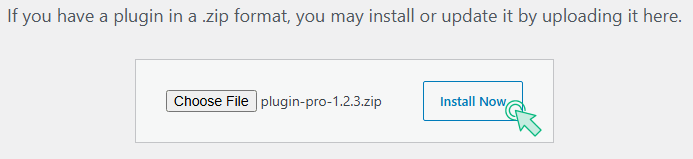
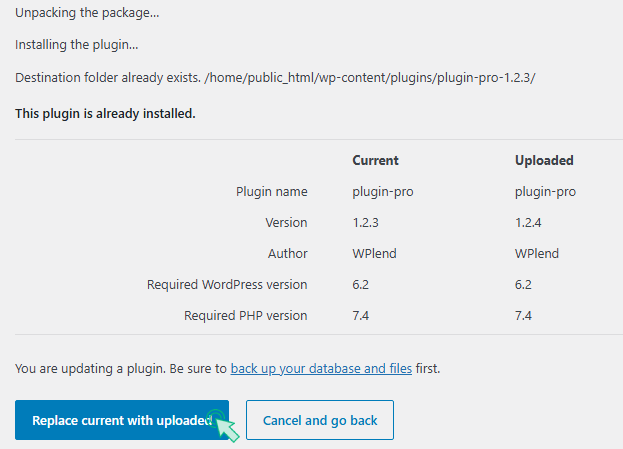
So the workflow is simple: close the activation nag, and update manually by uploading a new ZIP over the existing plugin.
Where people usually break Elementor Pro (and the fast fixes)
1) “Frontend is unstyled / widgets look wrong.”
Almost always stale generated CSS + cache. Fix order:
Elementor → Tools → Regenerate CSS & Data → clear cache plugin → clear server/CDN cache.
2) Popups/forms don’t submit or spin forever.
Security/WAF blocking admin-ajax.php or REST endpoints, or JS delay breaking event handlers. Check DevTools → Network for 403/401. Whitelist the endpoint and disable “Delay JS” for Elementor scripts on that page.
3) Minify/defer breaks sliders, tabs, sticky headers.
If you defer everything, Elementor’s frontend init can run before dependencies. Exclude at least:
elementor-frontendjquery-core(for diagnosis; later you can fine-tune)- your theme’s main script if it registers Elementor hooks
4) WooCommerce template conflicts.
If a theme or plugin overrides the same Woo template parts (gallery, variations), you get weird behavior: price/image not updating, add-to-cart JS errors. Rule of thumb: let Elementor handle templates, and keep Woo “enhancer” plugins minimal.