
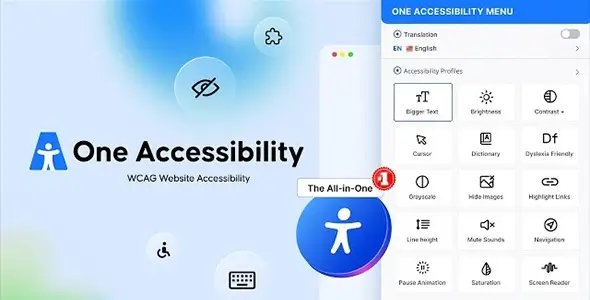
Achieving strict ADA and WCAG 2.2 AA compliance natively within WordPress often requires heavy DOM manipulation or relying on third-party SaaS overlays. One Accessibility Pro operates as a native plugin solution designed for public sector portals, e-commerce stores, and high-traffic sites that require legal compliance without sacrificing front-end performance. Unlike external scripts that inject heavy iframes, this architecture embeds accessibility technologies directly into the WordPress environment.
Core Capabilities
The toolset moves beyond basic color contrast toggles by integrating essential assistive features natively:
- Integrated Text-to-Speech: A built-in screen reader processes content directly on the page, eliminating the requirement for visitors to have local assistive software installed.
- Targeted Accessibility Profiles: Presets automatically adjust the layout and typography for specific cognitive and visual impairments, such as dyslexia or motor limitations.
- Automated Legal Documentation: Generates dynamic accessibility statements to demonstrate compliance efforts and mitigate Title III legal risks.
- Dashboard Alt-Text Manager: Allows administrators to audit and assign missing image descriptions without navigating through individual media library attachments.
- Advanced Focus Indicators: Enforces visible tab order optimization for full keyboard navigation across the DOM.
Compatibility is maintained across major visual builders. The system natively hooks into Elementor, Gutenberg, Bricks, and Divi while retaining full support for WooCommerce product grids.
However, the current iteration has technical constraints. Skip links support is currently listed as upcoming, meaning users navigating via keyboard might still have to tab through primary navigation menus on unoptimized themes before reaching main content areas. Additionally, automatic remediation capabilities are not yet deployed; administrators must manually address underlying ARIA attribute errors rather than relying on automated code-level fixes.
Implementation Scenarios
This architecture fits seamlessly into agency workflows where compliance needs to be baked into client handoffs. It is highly relevant for WooCommerce environments where inaccessible checkout flows lead to high abandonment rates and potential legal liabilities. Educational and municipal sites bound by Section 508 or AODA regulations also benefit from the on-premise nature of the plugin, keeping data processing local rather than querying a third-party cloud API.
Architecture and Configuration Workflow
Setup relies entirely on the WordPress backend interface rather than requiring manual code adjustments. Theme developers will note that the plugin maintains a strict “Zero Performance Impact” metric, claiming to uphold 1.0s LCP and 0s CLS. It achieves this by enforcing no impact on core HTML output; the frontend widget relies on streamlined JavaScript and CSS overlays that do not block rendering.
Most UI customization for the accessibility toolbar is handled via the plugin’s settings panel. Hardcoding child themes is rarely necessary for standard implementation, saving developers from manually overriding header.php or footer.php templates. However, heavily customized post types or complex React-based headless setups might still require manual template adjustments to ensure logical DOM structure before the plugin overlays its profiles.
FAQ
Does the architecture support modern page builders?
Yes, it operates seamlessly alongside modern WordPress environments, including Gutenberg, Elementor, Bricks, WPBakery, and Divi.
How does the widget affect Core Web Vitals?
The codebase is optimized to prevent performance degradation, maintaining 0s Cumulative Layout Shift and 0.3s First Contentful Paint without bloating global CSS/JS assets.
Is automatic ARIA remediation included?
No, automatic code remediation is currently in development. The plugin provides tools to manage alt text and UI scaling, but deep structural DOM fixes require manual implementation.
Reviews
There are no reviews yet.