
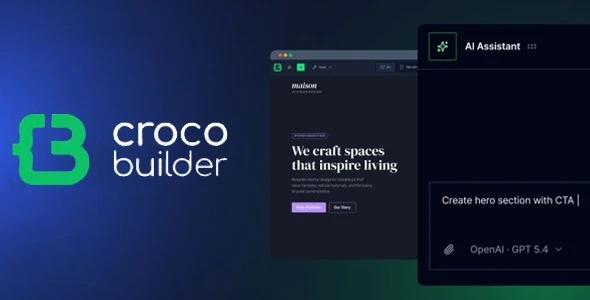
Page builders usually trade code quality for visual convenience, resulting in deeply nested wrapper divs and scattered inline styles. CrocoBuilder tackles this exact bottleneck. Engineered specifically for complex WordPress environments, it functions less like a standard page builder and more like a controlled frontend editor. It is designed for agencies and developers handling data-heavy directories, membership platforms, or custom web apps where markup integrity and maintainability are critical.
Core Capabilities & Architecture
- Atomic DOM Output: Every element translates to exactly one DOM node. No redundant
<div>wrappers are injected, keeping the HTML tree flat and ensuring faster render times. - Unified CSS & Sync: The interface allows seamless toggling between visual controls and raw CSS. Modifications sync in real-time, eliminating the need to dump disconnected rules into an “Additional CSS” panel.
- Native CSS Variables: Global typography, colors, and spacing are handled via custom properties. This makes the design system scalable and natively readable by both the builder and external stylesheets.
- Component-Driven Logic: Developers can build modular components using raw HTML, CSS, and JS (or generate them via AI prompts) with scoped properties and slots, replicating modern JavaScript framework behaviors directly inside WordPress.
- Integrated Query & Loop Builders: Constructs custom loops and complex WP queries through the UI. It handles custom post types, taxonomies, and meta relations without requiring raw PHP functions.
- Theme Builder & Conditions: Replaces standard template hierarchy logic, dynamically assigning layouts based on user roles, device types, or specific meta conditions.
Current Limitations: While the structural foundation is solid, CrocoBuilder is heavily focused on core architecture right now. Native WooCommerce elements, dynamic tokens, and deep ACF integration are currently queued for the v1.1.0 release. For complex e-commerce setups, developers might require workarounds or rely on external JetPlugins until Woo-specific conditions roll out natively. Additionally, the promised GitHub versioning sync is still in development.
Deployment Scenarios
This environment shines when deploying large-scale dynamic sites. When project requirements include custom post types, complex queries, and heavy conditional logic, traditional visual builders choke on CSS/JS overhead. CrocoBuilder fits technical teams looking to standardize their workflow using reusable Web Components and a strictly controlled, exportable CSS framework.
Customization & Asset Management
Unlike standard premium themes that force developers to spawn a Child Theme and manually override files like header.php, archive.php, or single.php, CrocoBuilder abstracts this entirely into its Theme Builder engine while keeping the DOM output clean. The system leans on a central CSS classes and breakpoints manager rather than enqueueing massive third-party grid libraries. Because the component generation outputs raw, accessible code, developers retain complete control over asset weight. Styles are centralized, preventing the classic WordPress issue where multiple active plugins load overlapping, conflicting stylesheets.
Technical FAQ
Does CrocoBuilder replace Gutenberg entirely?
It can manage the full frontend routing, but it also allows Web Components to be used outside the builder as live blocks within Gutenberg, utilizing passed props rather than static rendering.
How does it handle responsive layouts?
Instead of relying on rigid, pre-defined media queries that suit the tool rather than the site, the Mobile Breakpoints manager allows developers to define custom breakpoint logic tailored to the project’s specific grid requirements.
Are styles permanently locked into the database?
No. The builder includes an import/export utility for the CSS framework, enabling teams to migrate global variables, style presets, and class structures between staging and production environments seamlessly.
Reviews
There are no reviews yet.