
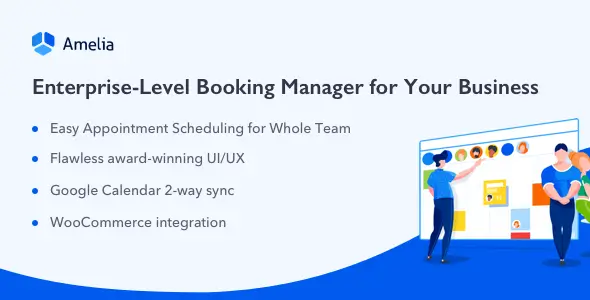
Amelia is a WordPress booking plugin rather than a theme. It targets appointment-driven businesses: clinics, salons, consultants, training studios, repair shops, photographers, and event operators. The main difference from lightweight calendar plugins is its operational depth. Employee schedules, locations, services, payments, resources, and customer records sit inside one booking system instead of being assembled from several loosely connected add-ons.
More Than a Date Picker
- Employee and location scheduling: Each staff member can have individual services, pricing, working hours, days off, and special-day overrides. Useful for multi-branch businesses with uneven rotas.
- Appointments, packages, and events: Amelia handles one-off and recurring appointments, service bundles, multi-day events, ticket types, waiting lists, and capacity limits.
- Resource-aware availability: Rooms, equipment, vehicles, or chairs can be shared between employees. Slots close automatically when the required resource is unavailable.
- Payment workflows: Native gateways include Stripe, PayPal, Mollie, Razorpay, Square, and Barion. WooCommerce integration routes bookings through the store checkout when broader payment or tax handling is required.
- Calendar and meeting sync: Google Calendar, Apple Calendar, and Outlook integrations help prevent double bookings. Google Meet, Zoom, and Microsoft Teams cover remote sessions.
- Builder-friendly embedding: Booking forms are available through shortcodes and dedicated integrations for Gutenberg, Elementor, Divi 4, and Divi 5. Amelia does not require a specific theme.
- Automation hooks: Email, SMS, and WhatsApp notifications are supported, alongside webhooks, a REST API, WordPress hooks, and JavaScript hooks for custom workflows. Availability depends on the purchased edition.
Where the Fit Starts to Break
Amelia is not a marketplace engine. It does not provide vendor onboarding, commission splitting, or independent storefronts in the WooCommerce marketplace sense. Complex medical records, room-rental logic, or arbitrary approval chains will also require external development.
ACF is not a native booking-data layer here. Amelia supplies its own custom fields, so projects expecting to model appointments directly through ACF may find the architecture restrictive. WPML-style multilingual deployments are supported through Amelia’s multilingual tooling, but every notification and front-end label still needs proper translation work.
Sensible Deployments, Not Every Deployment
The plugin suits agencies delivering booking sites with multiple employees, paid reservations, recurring sessions, or event capacity management. Solo operators can use it, although much of the admin surface may be unnecessary for a basic “pick a time and send an email” workflow.
It is particularly useful when clients need front-end customer and employee panels without full WordPress dashboard access. Developers building custom CRM bridges can work with hooks, webhooks, and the API instead of modifying core plugin files.
Configuration Lives Outside the Theme
Services, schedules, payments, notifications, roles, and integrations are configured in Amelia’s own admin interface. Form colors, typography, labels, and visible steps are handled by its Customize screens. Pages receive booking interfaces through blocks, builder widgets, or shortcodes.
A child theme will not expose Amelia templates through header.php, archive.php, or WooCommerce-style override folders. Those files control the surrounding site shell only. Deeper changes should use documented hooks, custom CSS, JavaScript hooks, webhooks, or the REST API; editing compiled plugin assets is brittle and will be overwritten during updates.
The interface is application-like and therefore carries more CSS/JS than a minimal shortcode calendar. Assets should be tested with caching and optimization plugins, especially on pages containing several booking forms. Code-level extensibility is decent, but the compiled front end is less transparent than conventional PHP templates.
Developer Questions Before Handoff
Does Amelia require Elementor?
No. Gutenberg blocks and shortcodes are available, with optional Elementor and Divi integrations.
Can bookings use WooCommerce checkout?
Yes. Amelia can pass bookings into WooCommerce for checkout and order processing.
Is WP-Cron relevant?
Yes. Scheduled reminders depend on reliable cron execution; production sites should use a real server cron where possible.
Can plugin files be overridden in a child theme?
Not in the usual template-override manner. Use supported hooks and styling APIs instead.
Reviews
There are no reviews yet.