
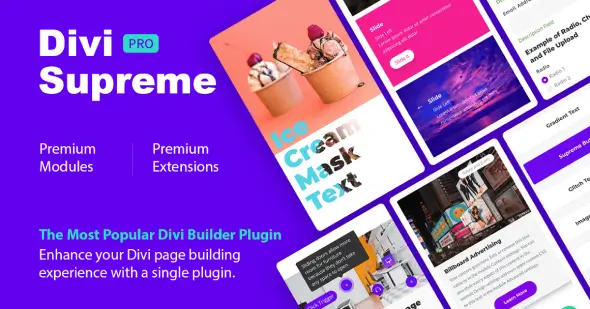
Divi Supreme Pro is a WordPress plugin that expands Divi with more than 60 design modules and eight practical extensions. It is built for freelancers, agencies, website owners, and designers who create pages with Divi and need more options for presenting content, adding interactions, and managing reusable elements without writing custom code for every feature.
More Ways to Build Inside Divi
The plugin adds visual components for text, images, navigation, galleries, business information, social content, and interactive page sections. Instead of combining multiple small plugins or repeatedly creating effects with custom CSS and JavaScript, users can access a broad collection of purpose-built Divi tools from one package.
Key features include:
- Carousels and galleries: Display images, blog posts, cards, or portfolio content in Image Carousel, Card Carousel, Blog Carousel, Post Carousel, Masonry Gallery, and Filterable Gallery layouts.
- Interactive image modules: Add hotspots, before-and-after sliders, hover reveals, tilt effects, image accordions, floating images, and scrollable images to explain products or present visual work.
- Advanced text presentation: Build gradient headings, typing effects, rotating text, text paths, badges, dividers, reveal animations, and other styled content without manually coding each effect.
- Popups: Turn Divi layouts into popup content for notices, promotions, forms, or other information that should appear separately from the main page flow.
- Scheduled elements: Control when selected content appears, which is useful for timed announcements, campaign sections, event details, or limited-period messages.
- Reusable Divi Library content: Place saved library items through a widget or shortcode, making prepared sections easier to reuse in supported areas of a WordPress site.
- Responsive and structural tools: Preview layouts at different screen sizes, add custom attributes, create headers with the Easy Theme Builder extension, and shorten long sections with Read More functionality.
Where Divi Supreme Pro Fits Best
The module collection covers common requirements across business websites, landing pages, portfolios, blogs, service pages, and product presentations. A restaurant can format opening hours and price lists, while a creative studio can combine filterable galleries, image comparisons, and carousels. Marketing pages can use popups, progress bars, FAQs, content toggles, ratings, and step flows to organize detailed information clearly.
For agencies and freelancers, the main advantage is having a consistent set of Divi components available across different builds. Site owners who already work with Divi can also add more varied layouts and interactions while staying within a familiar visual editing environment.
How the Plugin Works with Divi
Divi Supreme Pro integrates with Divi and makes its modules available for page building alongside the existing Divi workflow. Each module provides controls for its own content, appearance, and behavior. Extensions handle broader functions such as popups, scheduling, responsive previews, library placement, and custom attributes.
Its dynamic asset system separates module and extension files, loading their CSS and JavaScript only when those features are used on a page. This avoids loading every Divi Supreme asset across pages that do not need it.
Divi Supreme Pro is a focused choice for Divi-based websites that require a wider range of visual modules and workflow tools without assembling the same functionality from numerous separate add-ons.