
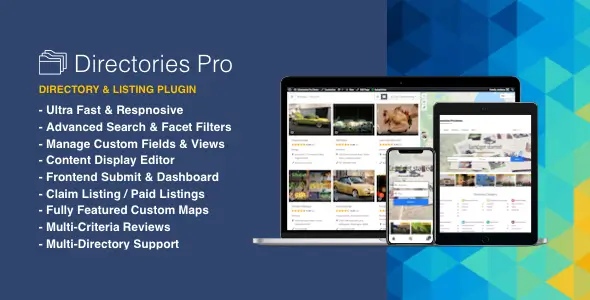
Directories Pro is a plugin for building business directories, property indexes, member listings, and other searchable catalogs on WordPress. It is not a directory theme: it supplies the listing system while the active theme handles the surrounding site design. Its strongest distinction is how much of the directory model can be configured in the admin, including fields on listings, reviews, categories, and locations.
What it does
- Runs multiple directories in one installation. Separate catalogs can have their own settings, useful when an agency needs more than one listing type on the same site.
- Builds fields and displays independently. Conditional fields control data entry, while the display editor determines which details appear in listing summaries and full pages.
- Provides faceted search and map views. Visitors can narrow listings by configured filters and browse geographically relevant results.
- Handles frontend submissions. Owners can add and manage listings without access to the WordPress dashboard; claim requests and reviews support community-maintained catalogs.
- Connects paid listings to WooCommerce. Payment plans can charge for submissions or claims; recurring plans require the separate WooCommerce Subscriptions plugin.
- Supports multilingual and custom page layouts. WPML is supported, and Elementor single-post templates can include directory content through the plugin’s
[drts-entity]shortcode. - Moves directory data by CSV. Import and export tools help with initial population and routine catalog maintenance.
The trade-off is configuration time. A useful directory still needs a deliberate field schema, filters, submission rules, and moderation workflow. Maps also need provider configuration; Google services may require API keys and billing. Directories Pro is not a substitute for a full commerce marketplace, and its documented paid-listing workflow depends on WooCommerce. The developer documents a componentized, namespaced PHP architecture, but published material does not establish audited code quality or a measured CSS/JS payload. Bootstrap and Font Awesome are among its stated frontend technologies, so asset weight should be tested with the intended theme rather than assumed to be minimal.
Where it fits
It suits a local-services guide with owner-managed profiles, a location-based property catalog, or an association directory with custom member attributes. Freelancers and agencies will get more from it when they can define those attributes before building the frontend. A simple static list may not justify the setup overhead.
How customization works
Directory fields, filters, displays, and map settings live in the plugin’s Directories administration screens, not in Theme Options or the WordPress Customizer. Directory pages can be edited around the plugin’s shortcodes; Elementor can render a listing inside a single-post template. For markup the display editor cannot express, the documented override is a plugin display or element template in a child theme’s drts directory—for example, directory__listing-display_detailed.html.php. It is not a matter of overriding the theme’s header.php or archive.php. A full display template replaces that display editor’s output, while an element template changes a smaller part. The developer recommends a child theme so these files survive theme updates.
FAQ
Does Elementor work with listing pages?
Yes. The developer documents placing [drts-entity] in an Elementor single-post template for the listing post type.
Are recurring listing payments included?
Recurring payment plans require the separate WooCommerce Subscriptions plugin.
Is a Google Maps key mandatory?
Not for every setup. OpenStreetMap is an available map provider; Google Maps services require the relevant API keys.
Where do custom display templates go?
Place them in the active child theme’s drts directory, then clear the plugin cache as documented.
Reviews
There are no reviews yet.