
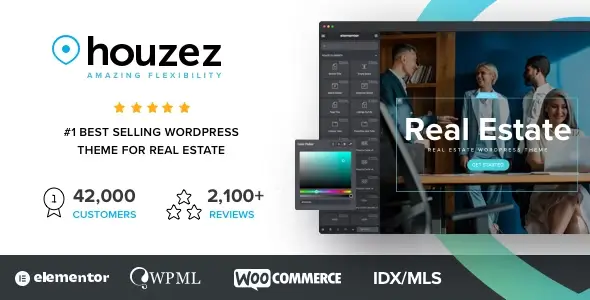
Houzez is built for property agencies, independent brokers, rental businesses, housing developers, and listing portals. It goes considerably further than a repainted corporate theme: property records, agent profiles, map-based discovery, lead capture, and front-end listing management are part of the operating model.
Its main advantage is vertical depth. A developer does not need to assemble search, property templates, user dashboards, and basic CRM functionality from unrelated plugins. That convenience comes with the usual trade-off: Houzez is a substantial platform theme, not a lightweight shell for a five-page realtor brochure.
More Than a Listing Grid
- Elementor-based theme building: Dedicated widgets and builders cover property pages, search forms, headers, footers, agent profiles, and agency profiles.
- Custom property fields: Project-specific fields can be connected to listing cards, detail pages, and search filters without hard-coding a new data model.
- AJAX property search: Supports configurable filters, geolocation, radius queries, and map-driven result layouts.
- Front-end property management: Agents and agencies can submit, edit, and manage inventory without receiving WordPress admin access.
- Built-in CRM workflow: Enquiries, leads, deals, and listing activity can be handled inside WordPress rather than dumped into an email inbox.
- Flexible mapping stack: Google Maps, Mapbox, and OpenStreetMap are supported, which helps when API pricing or regional coverage becomes an issue.
- International deployment: WPML, Polylang, RTL layouts, and multi-currency features make it viable for multilingual property databases. MLS/IDX connections are possible through supported providers such as IDX Broker, Realtyna, and iHomeFinder.
Where it stops: Houzez is not a replacement for a full property-management or enterprise CRM platform. Complex MLS synchronization still depends on an external provider and its subscription. It is also excessive for a basic brochure site. Elementor, interactive maps, AJAX filtering, dashboards, and CRM modules create a larger CSS/JS footprint than a lean block theme, so caching and asset auditing are not optional on busy portals.
Projects That Fit the Data Model
The strongest matches are regional property portals, multi-agent agency sites, rental directories, new-development showcases, and paid listing platforms. Agencies can also use it as a repeatable client-site base because demos and prebuilt Elementor sections reduce boilerplate work.
It is less compelling for developers committed to native Gutenberg/FSE workflows or projects requiring a completely headless front end. Those builds would spend too much time working around presentation logic designed for Elementor.
Configuration Before Template Surgery
Most routine work belongs in the Theme Options panel and Houzez’s visual builders: typography, listing metadata, search fields, map behavior, headers, footers, property layouts, and form composition. Demo content can be imported and then replaced rather than reconstructed page by page.
Structural PHP changes should go into a child theme. Conventional overrides may involve files such as header.php or archive.php, while property-specific changes require locating the exact Houzez template part being loaded before copying it into the child theme. Editing parent files is a dead end because updates overwrite the patch.
The codebase is broad rather than minimalist. Its modular builders help avoid PHP edits, but enabled modules still need profiling. Unused map providers, widgets, tracking features, and third-party integrations should be disabled where possible; exact asset weight depends heavily on the selected demo and Elementor layout.
Questions Developers Ask Before Deployment
Does Houzez require Elementor?
Elementor is the primary visual workflow and powers the supplied widgets and theme-building tools.
Can agents manage listings without wp-admin?
Yes. The front-end dashboard supports property submission, editing, and account management.
Is MLS data included?
No. Houzez supports IDX/MLS integrations, but data access and synchronization normally require a compatible external provider.
Should customizations use a child theme?
Yes. Theme Options handle configuration; PHP template edits and custom hooks belong in a child theme.
Reviews
There are no reviews yet.