
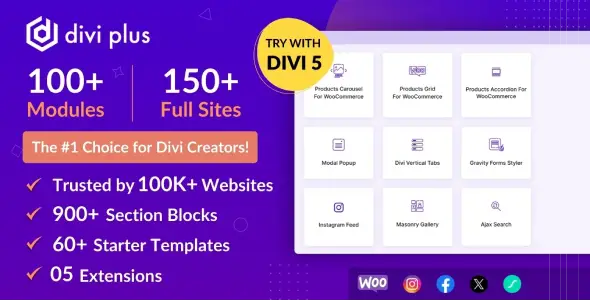
Divi Plus is an expansion pack for the Divi ecosystem rather than a standalone WordPress theme or general-purpose block library. It targets agency sites, portfolios, content-heavy business websites, landing pages, and moderately sized WooCommerce stores where the stock Divi module set starts feeling restrictive.
Its main advantage is breadth. The plugin combines more than 100 builder modules with extensions, section blocks, starter templates, and prebuilt child-theme packages. That can replace several small Divi add-ons, although teams should resist enabling every feature simply because it is available.
More Than Another Stack of Divi Widgets
- WooCommerce presentation modules — product grids, masonry layouts, AJAX loading, quick view, category displays, galleries, accordions, and several carousel variants cover common merchandising jobs without rebuilding loops manually.
- Content and post tooling — blog grids, timelines, portfolio modules, category layouts, AJAX search, breadcrumbs, and a table of contents are useful for editorial and directory-style builds.
- Interactive media components — image hotspots, before/after sliders, SVG animation, Lottie, video masks, sticky video, and scrolling galleries handle effects that would otherwise require custom JavaScript.
- Conversion-oriented elements — modal popups, coupons, promotion bars, comparison lists, PayPal and Stripe buttons, plus content toggles fit landing pages and smaller sales funnels.
- Visibility and scheduling controls — elements can be shown according to timing or user-role conditions, reducing the need for one-off conditional snippets.
- Divi Library shortcodes — saved layouts can be embedded outside their original builder context, which is handy for reusable banners, notices, and templated content.
- Selective module loading — unused modules and extensions can be disabled from the plugin controls, keeping the Visual Builder less cluttered.
Divi Plus also includes styling modules for native forms and Gravity Forms. It is not an Elementor add-on, an ACF layout engine, or a Gutenberg block collection.
The trade-off is predictable: this is a large toolbox. Animation-heavy sliders, particle backgrounds, social embeds, and multiple carousels can add CSS, JavaScript, and DOM depth when stacked carelessly. Complex product filtering, faceted search, marketplace workflows, and vendor management still require dedicated WooCommerce extensions. It also does not replace a caching or asset-optimization layer.
Where the Bundle Earns Its Keep
The strongest fit is an agency maintaining multiple Divi installations. Reusable sections, broad module coverage, and prebuilt websites shorten routine production work without forcing developers to maintain a folder of unrelated plugins.
Freelancers building restaurant, SaaS, consultancy, portfolio, or brochure sites will find the visual modules practical. Store owners can produce richer catalog pages, but large inventories and highly customized checkout flows remain outside the plugin’s core remit.
Configuration Stays Inside the Divi Workflow
After installation, modules are added through Divi’s Visual Builder and configured through familiar Content, Design, and Advanced controls. Extensions and modules can be enabled or disabled separately; this is the first cleanup worth doing on a production build. Templates, sections, and prebuilt sites are imported rather than hard-coded into the active theme.
Routine customization does not require editing header.php or archive.php. Those files only become relevant when a project needs PHP-level theme overrides that Divi Theme Builder cannot provide. Such changes belong in a child theme, never inside Divi Plus or the parent Divi theme.
The module-based architecture is maintainable, but “lightweight” depends on the selected feature set. Asset weight should be verified per page with DevTools or Lighthouse, especially where galleries, social feeds, and motion effects overlap.
Questions Developers Usually Ask
Does Divi Plus work without Divi?
No. It extends the Divi Theme or Divi Builder and is not a standalone page builder.
Can unused modules be disabled?
Yes. The documentation provides controls for enabling and disabling both modules and extensions.
Does it provide advanced WooCommerce filtering?
No. It handles product presentation and AJAX loading, but faceted filtering needs another plugin or custom development.
Is a child theme mandatory?
Not for normal module styling. A child theme is advisable only for PHP, template, or persistent code overrides.
Reviews
There are no reviews yet.