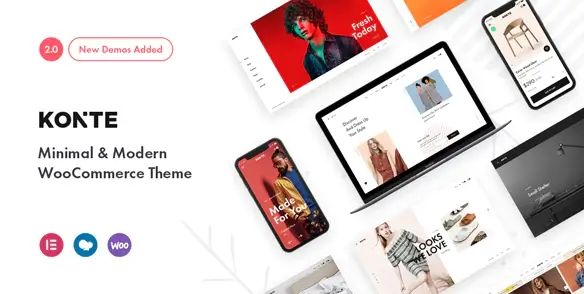
Konte is built for product-led WooCommerce stores where photography, typography, and whitespace should carry the interface. Fashion labels, furniture studios, accessory shops, and curated lifestyle catalogs are the obvious fit. Unlike multipurpose themes packed with generic landing-page widgets, Konte concentrates on catalog presentation and familiar storefront interactions. Its Bootstrap-based front end supports both Elementor and WPBakery, making it practical for existing agency workflows as well as fresh builds.
Key capabilities
- Native WooCommerce layouts: multiple shop and single-product arrangements cover conventional grids, editorial catalogs, variable products, and image-heavy product pages without rebuilding templates from scratch.
- Elementor and WPBakery support: landing pages can be assembled with either builder. Konte includes builder-oriented templates and elements rather than forcing all content through a proprietary editor.
- AJAX storefront interactions: search, filtering, product loading, quick view, and cart actions reduce unnecessary page transitions during catalog browsing.
- Header builder: desktop and mobile headers can be composed from elements such as navigation, logo, search, account, wishlist, and cart controls.
- Product merchandising tools: variation swatches, size guides, wishlist integration, order tracking, and configurable product-gallery behavior suit fashion and design catalogs.
- Translation workflow: the theme provides translatable strings and documented workflows for Loco Translate, Poedit, and multilingual plugins such as WPML.
- Optional portfolio module: studios can publish projects alongside products, with separate archive, permalink, header, and single-project display settings.
What it does not do: Konte is not a turnkey multivendor marketplace. Vendor dashboards, commissions, advanced faceted search, subscriptions, and booking logic require separate WooCommerce extensions. Elementor or WPBakery also adds its own CSS and JavaScript footprint; installing both builders on one production site is unnecessary overhead. The restrained visual system is another constraint: turning it into a dense electronics marketplace will involve more template and CSS work than choosing a theme designed for that pattern.
Suitable projects and users
The theme makes sense for small and medium-sized stores with a controlled product range and strong visual assets. Freelancers can start from demo content, while agencies can standardize headers, catalog behavior, and typography before handing routine edits to a client. Developers expecting headless commerce, block-first Full Site Editing, or deeply custom checkout flows should treat Konte as a classic PHP theme rather than an application framework.
Configuration and technical approach
Installation follows the normal theme-and-companion-plugin workflow, with optional demo import and image-size configuration. Global controls live in the WordPress Customizer and are grouped into layout, typography, colors, header, blog, page, shop, portfolio, footer, and mobile sections. Page composition belongs in Elementor or WPBakery, while WooCommerce manages products, tax, shipping, and checkout data.
Routine branding should remain in the Customizer or Additional CSS. Structural changes belong in the supplied child theme. Overrides to header.php, footer.php, or archive templates should be copied into the child theme; WooCommerce markup should follow its normal override paths, such as woocommerce/archive-product.php and woocommerce/single-product/. This keeps parent-theme updates survivable.
The codebase follows a conventional modular WordPress theme layout, but it is not a bare-bones performance theme. Bootstrap, shop AJAX, sliders, and builder widgets can produce a noticeable asset stack. Sensible plugin selection, page caching, image optimization, and removal of unused builder features remain necessary.
FAQ
Does Konte require Elementor?
No. The developer documents both Elementor and WPBakery workflows; only the builder used by the selected demo or page needs to remain active.
Can demo content be imported?
Yes. A one-click demo import procedure is included in the official setup documentation.
Does it support multilingual stores?
Yes. Translation files and documented multilingual setup are provided; the commerce translation layer still requires an appropriate plugin.
Is a child theme available?
Yes. The developer supplies and documents a child theme for update-safe code and template changes.