
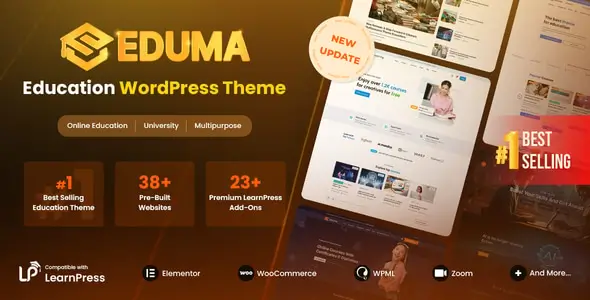
Eduma is built for course platforms, training centers, universities, private schools, language academies, and instructor-led membership sites. Its main advantage over many education themes is architectural: course data belongs to LearnPress rather than the theme itself. Switching the front end later should not wipe out courses, lessons, or quizzes.
The package is broad rather than minimalist. It ships with more than 40 importable education demos and supports anything from a small course catalog to a multi-instructor learning portal. That breadth saves build time, although it also means developers should avoid installing every bundled component by default.
The LMS machinery under the skin
- LearnPress integration handles courses, curricula, lessons, quizzes, instructors, enrollments, and learner profiles outside the theme layer.
- Elementor and Thim Elementor Kit provide editable pages, blocks, headers, footers, course layouts, and mega menus. Individual sections can be imported without cloning an entire demo.
- WooCommerce support covers course checkout and physical products such as books. LearnPress can also use supported gateways without loading the full WooCommerce stack.
- Membership and marketplace tooling includes Paid Memberships Pro integration and LearnPress commission management for instructor payouts.
- Community integrations connect courses with bbPress discussions and BuddyPress profiles or activity features.
- Multilingual support covers WPML, Polylang, and RTL layouts—useful for academies operating across several regions.
- Optional LMS extensions add content dripping, certificates, assignments, gradebooks, payment gateways, and other workflow-specific features.
Eduma does not replace a dedicated SaaS LMS backend, CRM, or video-delivery platform. Large marketplaces may require custom moderation, reporting, tax handling, and payout logic. Advanced faceted course discovery is another likely custom job; the supplied AJAX course search is useful, but it is not a substitute for a dedicated indexing and filtering stack.
Where the theme earns its keep
The strongest fit is an agency or freelancer delivering a conventional WordPress LMS without engineering the student-facing UI from scratch. Schools can combine courses, events, faculty pages, and news, while independent trainers can sell a smaller catalog through LearnPress or WooCommerce.
It is less convincing for a brochure site with three static pages. In that case, the LearnPress/Thim ecosystem adds unnecessary moving parts. High-concurrency learning portals will also need proper object caching, a CDN, tuned database queries, and hosting selected for logged-in traffic.
From demo import to maintainable build
Installation enables Thim Core, after which demos are available under Eduma → Import Demo. The importer can bring in a complete site, while Thim Elementor Kit supports page- and block-level imports. Only one full demo should be used per installation.
Branding, typography, header behavior, blog, course, WooCommerce, event, portfolio, footer, widget, and mobile navigation settings are exposed through Appearance → Customize. Elementor templates can take over headers, footers, products, posts, and course presentation, including display conditions and sticky headers.
Structural PHP work belongs in the supplied child theme. Overrides to files such as header.php or archive.php, plus any supported LearnPress template overrides, should never be placed in the parent theme. Hooks are preferable where LearnPress exposes them.
The codebase is mature but not lightweight in the bare-theme sense. Elementor, Thim widgets, LearnPress, WooCommerce, and optional add-ons can produce a sizable CSS/JS payload. Asset weight depends heavily on the imported demo and active plugins, so unused sliders, community modules, and LMS extensions should be removed rather than merely hidden.
Questions developers usually ask
Is Elementor Pro required?
No. Eduma supports the free Elementor plugin and adds its own Thim Elementor widgets and template tooling.
Can courses survive a theme change?
Yes. Course content and LMS records are managed by LearnPress, although Eduma-specific presentation will be lost.
Does it support multilingual course sites?
Yes. WPML, Polylang, and RTL layouts are officially supported.
Is WooCommerce mandatory?
No. It is optional unless its checkout, product catalog, or payment ecosystem is required.
Reviews
There are no reviews yet.