
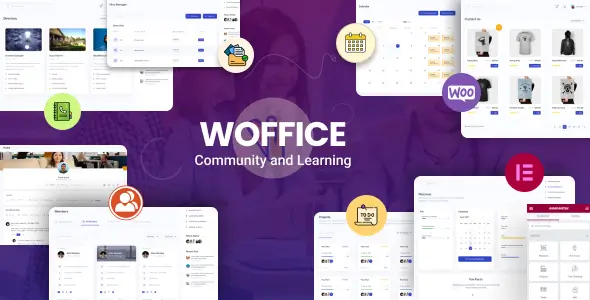
Building an intranet on WordPress usually means duct-taping BuddyPress to a corporate theme and hoping the database doesn’t catch fire under load. Woffice Intranet WordPress Theme – Extranet & Company Communication approaches this differently by wrapping community features, project management, and eLearning into a single, cohesive ecosystem. It is engineered specifically for closed corporate portals, university extranets, and private community hubs, aiming to replace a fragmented stack of plugins with a unified frontend workspace.
Core Engine and Integrations
Instead of just reskinning standard post loops, the architecture provides functional modules tailored for internal operations:
Native Project Management: Utilizes Custom Post Types (CPTs) for projects and tasks, offering frontend task creation, drag-and-drop Kanban boards, and Gantt charts without forcing users into the wp-admin dashboard.
Wiki & Knowledge Base: Features frontend editing, built-in revisions, and category structuring, which is critical for maintaining internal company documentation.
Deep LMS Integration: Bundles LearnPress for course delivery out of the box and maintains strict compatibility with LearnDash for more complex academic requirements.
Advanced Event Handling: Ships with EventON to manage everything from personal user calendars to company-wide schedules with granular visibility controls.
Access Control & Security: Includes private site toggles, custom login screens, and manual user approval workflows to keep the portal entirely closed to the public.
Third-Party Syncing: Provides built-in webhooks and integrations for Slack and Trello, bridging the gap between the WordPress install and standard corporate SaaS tools.
While the feature list is dense, deploying this theme requires realistic expectations. Woffice does not replace heavy-duty CI/CD project trackers like Jira or full-scale enterprise ERPs. The task management is highly interactive but structurally lightweight. Furthermore, relying heavily on BuddyPress and bbPress for the social and forum aspects means complex database queries. If the portal scales past a few thousand active users, implementing persistent object caching (Redis or Memcached) becomes mandatory, not optional.
Ideal Deployment Scenarios
Agencies typically roll this product out for HR departments needing a centralized employee portal, schools building student-teacher networks, or coaching businesses that require a blend of LMS capabilities and private community forums. It fits perfectly in environments where a client needs an all-in-one collaborative hub without paying per-seat licenses for external SaaS alternatives.
Architecture, Templating, and Asset Load
Customization is strictly bifurcated. Surface-level branding (logos, typography, primary colors) is handled via a massive 60+ option settings panel, keeping non-technical administrators out of the codebase. However, for deep structural modifications—like altering the member directory grid or adjusting the project dashboard layout—developers must provision a Child Theme. Extensive modifications require overriding specific templates like single-project.php or digging directly into the BuddyPress template hierarchy.
From a performance standpoint, the DOM can get heavy. The theme supports Elementor, but legacy updates still push WPBakery and Slider Revolution. Loading these builders alongside bbPress and frontend forms results in a hefty CSS/JS payload. Aggressive asset offloading and conditional script loading are required to keep the Time to Interactive (TTI) low on the frontend.
Developer Q&A
Can it run natively without a heavy page builder?
Yes, core content can be managed via Gutenberg and standard WordPress features, though importing the default demo data heavily relies on Elementor or WPBakery for complex dashboard layouts.
How are custom user permissions handled?
The theme bypasses standard WP roles by implementing its own granular read/write permissions for projects, wiki edits, and file access, which pairs with the New User Approve plugin for secure onboarding.
Are the project boards extensible?
Because projects and tasks are registered as standard CPTs utilizing standard post meta, developers can easily hook into save_post actions to trigger custom REST API calls or sync data with external CRMs.