
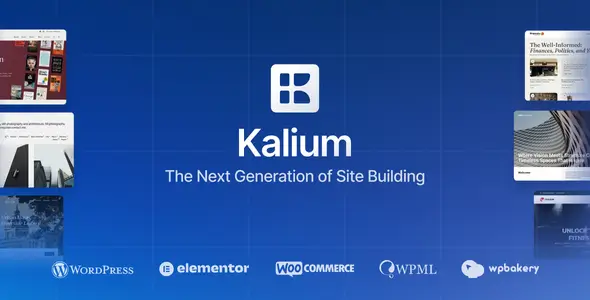
Kalium 3 is aimed at designers, photographers, architects, agencies and other professionals whose work needs to carry the page. Its strongest area is portfolio presentation: project grids, typography-led layouts and restrained transitions are built into the theme rather than bolted on through an unrelated gallery plugin. It can also handle company websites, editorial projects and relatively conventional WooCommerce stores.
Key capabilities
- Elementor and WPBakery support: pages can be assembled with either supported builder, making Kalium practical for both newer Elementor workflows and existing WPBakery installations. Builder content is not interchangeable, so one should be selected early.
- Dedicated portfolio system: configurable project types, grid layouts, hover treatments and single-project presentations cover most creative showcase requirements without custom post-type development.
- WooCommerce integration: shop, product, cart and account views inherit the theme’s visual system. It suits curated catalogs and standard stores rather than marketplace-scale builds.
- Header and typography controls: header behavior, menus, branding and font choices can be adjusted without editing templates. Local and external font workflows are supported through the theme’s font management features.
- ACF Pro integration: the bundled plugin provides a maintainable route for adding structured fields to projects, pages or custom content.
- WPML compatibility: the theme is prepared for multilingual websites and translated WooCommerce catalogs when WPML’s required components are installed.
- Demo importer and bundled extensions: starter sites, sliders and builder components reduce setup time, although imported pages still require cleanup and replacement of placeholder assets.
What it does not do: Kalium is not a block theme and does not provide full-site editing through Gutenberg. It is compatible with the block editor, but its more distinctive layouts remain tied to theme options and page-builder components. Advanced faceted product filtering, vendor dashboards, bookings or membership logic require third-party plugins. Running multiple builders and slider plugins together also adds unnecessary CSS and JavaScript.
Suitable projects and users
The theme fits studios, freelancers and agencies that need repeatable portfolio templates without building a design system from scratch. It is also sensible for photographers, fashion labels and small shops where visual direction matters more than complex catalog logic. Developers can use it as a configurable parent theme; clients receive manageable editing tools without direct template access.
Setup and customization model
Installation normally starts with the theme’s setup flow, required or recommended plugins, and optional demo import. Global styling, typography, portfolio behavior and header settings live in Kalium’s options interface. Page-level composition is handled by Elementor or WPBakery, while Gutenberg remains available for ordinary content.
A child theme should be used for PHP changes, custom hooks and durable template overrides. Editing parent files such as header.php, archive.php or single.php directly will make updates difficult. WooCommerce markup changes belong in child-theme template overrides, with version compatibility checked after WooCommerce updates.
The codebase is mature and reasonably organized, but Kalium is not a minimal framework. Portfolio effects, builder widgets, shop styling and bundled plugins create a broader asset footprint than a hand-built theme. Performance is acceptable when unused plugins, sliders, font weights and animation features are disabled; an all-demo-components installation will need caching and asset auditing.
FAQ
Does Kalium include a child theme?
Yes. The distributed package includes a child theme intended for update-safe customizations.
Can Elementor and WPBakery be used on the same website?
Both are supported, but individual layouts should not be expected to convert between builders.
Are bundled premium plugins licensed separately?
No personal license is supplied. They can be used with the theme and receive packaged updates through the theme author.
Is Kalium translation-ready?
Yes. It supports standard translation files and is compatible with WPML for multilingual installations.
Reviews
There are no reviews yet.