
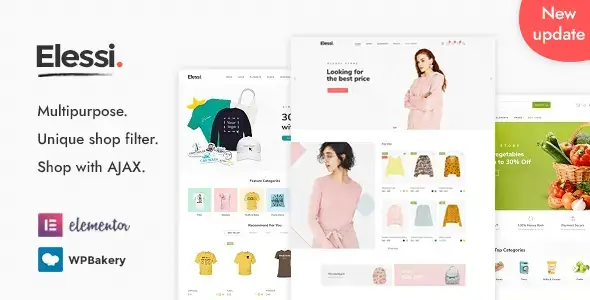
Elessi is a WooCommerce WordPress theme designed for online stores that need a streamlined product-browsing experience. It combines AJAX-powered shopping tools with flexible catalog and product layouts, helping customers search, filter, compare, and review items with fewer page reloads. The theme suits retailers selling fashion, accessories, electronics, auto parts, organic goods, medical products, and other physical or affiliate products.
A Faster, More Practical Storefront
The theme focuses on the parts of an online shop that customers use most: category navigation, product discovery, item comparison, and purchasing controls. AJAX features make common catalog actions feel more immediate, while multiple shop and product-page formats allow the storefront to reflect the size and structure of the inventory.
Elessi can present products in grids, lists, masonry layouts, sliders, or category collections. Store owners can also choose standard pagination, infinite scrolling, or an AJAX “Load More” control. Product pages support several gallery and information arrangements, including sticky details, full-width sliders, thumbnail positions, gallery grids, and variation-specific galleries.
Key features include:
- AJAX catalog interactions: Load additional products and perform supported shopping actions without forcing a complete page refresh.
- Flexible shop layouts: Display inventory in grids, lists, masonry arrangements, Metro layouts, or collections, with left, right, top, sticky, and off-canvas sidebars.
- Quick product inspection: Popup and off-canvas quick-view formats let shoppers check essential product information without leaving the catalog.
- Product discovery tools: Wishlist, comparison, search, category navigation, and grouped filters help visitors narrow down a large selection.
- Configurable product presentation: Choose from multiple product-card styles, tab layouts, galleries, hover effects, and sticky add-to-cart placement.
- Sales-focused display options: Present countdowns, scheduled deals, coupons, frequently bought together items, pre-orders, bundles, back-in-stock notifications, and in-cart offers where configured.
- RTL storefront support: Build right-to-left shop layouts for languages such as Arabic, with dedicated RTL demonstrations available.
Where Elessi Fits Best
Elessi is suitable for new WooCommerce builds and visual redesigns of existing stores. Its range of catalog formats is useful for fashion boutiques, specialist retailers, multi-category shops, and stores with many product variations. Catalog mode also makes it relevant to businesses that want to display products without using a conventional purchasing flow.
The theme supports different merchandising approaches. A compact store can use a simple product grid and quick view, while a larger catalog can combine grouped filters, off-canvas navigation, comparison tools, and infinite scrolling. Affiliate or external products can also be presented through the corresponding WooCommerce product type.
How the Store Is Configured
Elessi works as the visual and interaction layer for a WordPress site using WooCommerce. After installation, the store administrator selects the required shop, product, header, sidebar, card, and gallery layouts. Individual features—such as catalog mode, quick view, sticky add-to-cart, comparison, or a chosen paging style—can then be applied according to the storefront design.
Some demonstrated functions may depend on WooCommerce settings, bundled theme components, separate plugins, external services, or properly configured product data. Requirements should therefore be checked against the intended store setup before deployment.
Elessi provides a broad, commerce-focused design system without limiting a shop to one industry or catalog style. It is a practical choice for building a visually adaptable WooCommerce storefront with AJAX navigation, detailed product presentation, and native RTL design options.