💯 Tested and Working Product 🛡️ Clean & Secure 🔒 Safe & Secure Payments 📥 Instant Direct Downloads 🔄 Regular Product Updates
hostiko theme download

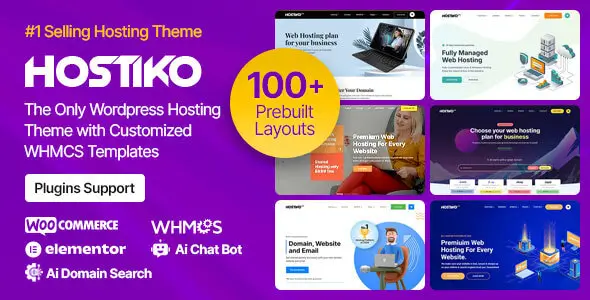
Hostiko 94.5.9 – Hosting WP & WHMCS Theme

Version: 94.5.9 Update?
Updated: Sep 24, 2026 Archive Scan:Clean
Developer Website
View All Frequently Asked Questions
Genuine Release
100% genuine files directly from the developers. Licensed under the GNU GPL for an unlimited number of sites.
Technical Support
Professional help in solving any technical problems. Support is included in the price. Read the Support Policy.
Guarantees and Safety
100% safe & team-verified before publishing. Eligible for a 30-day refund in accordance with our Refund Policy.

Hostiko – Hosting WordPress & WHMCS Theme is useful when you need a hosting site that already has the right structure. Pricing tables, domain search sections, service pages, knowledge base style layouts, sales pages — most of the heavy lifting is already there.

In real work, that saves time. You don’t build a hosting front from zero, then spend days fixing the layout. You install, tweak the branding, connect the stack, and move on.

How the GPL version works in real life

Honest take: the WordPress theme part works. Local layouts, page templates, headers, footers, service blocks, pricing sections, blog pages, and built-in design elements work if they run inside WordPress.

If the package includes bundled plugins or demo layouts, they usually work too, as long as they don’t need a remote license check. Basic front-end customization and theme options are normally fine.

Now the important part. WHMCS is a separate product with its own licensing. If this theme includes WHMCS styling, templates, or integration files, that does not replace the need for a valid WHMCS setup. The theme can style the front, but WHMCS-side functionality still depends on WHMCS itself being installed and licensed properly.

Also, don’t expect official auto-updates, support tickets, or vendor-side services. If demo import pulls data from the author’s server, or if some parts are tied to purchase-code validation, those parts may be limited. Manual updates only.

One more practical note: hosting themes often look simple in the demo, but the real pain is integration. Domain checker, billing flow, client area links, and WHMCS template matching should always be tested on staging first.

Who actually needs this theme

  • Hosting companies that need a ready-made sales front with pricing tables, plan pages, and service blocks.
  • Freelancers building hosting or reseller sites without wanting to code a custom theme from scratch.
  • Agencies launching WHMCS-based projects where WordPress handles the marketing front and WHMCS handles billing.
  • Webmasters reworking an old hosting site that looks dated and needs a cleaner front fast.

FAQ about the GPL version

Yes, it’s generally fine to use on a live site. The files are taken from the original developer package and haven’t been modified, and GPL code is open anyway. That said, I’d still make a backup before installing or updating anything on production.

As for updates, you do them manually. Just download the latest version from the site and install it over the existing one, either through the WordPress admin panel or via FTP.

No. The plugin works without license key validation. A key is only needed for official vendor updates and support.

WPlend Team

All products undergo thorough moderation before being added to WPlend. We carefully check their functionality, features, compatibility, and performance quality to ensure our catalog contains only verified and up-to-date resources.

Package Verification & Test Notes

Below is our manual testing report for the current version.

Tested Package:themeforest-20786821-hostiko-wordpress-whmcs-hosting-theme-94.5.9.zip
File Hash (SHA-256):6e3b86ba7b3fb73dfcd5901e8bda4204dd2567ccad8ee4cd511ec1e6a3168af9
Date & Environment:September 24, 2026 | WP 7.0.1 | PHP 8.4
Core Installation:✅ Passed without errors. No license key required for basic usage.
Limitations & Notes:Auto-updates via WP dashboard disabled.
QA Reviewer:WPlend QA Team (QA-02)

💡 Tested by WPlend QA Team according to our WordPress Plugin and Theme Review Methodology.

Reviews

There are no reviews yet.

Be the first to review “Hostiko 94.5.9 – Hosting WP & WHMCS Theme”

Download Previous Versions

If you have purchased this product or hold an active membership, you can download previous versions as they are released.

Installing and Updating Themes

  1. First Installation: Download the theme's ZIP file from our website.
  2. In your WordPress dashboard, navigate to Appearance → Themes → Add New Theme → Upload Theme.
  3. Choose the downloaded ZIP file and click Install Now.
  4. Once the installation is complete, click Activate.
  5. Updating / Replacing: Navigate to Appearance → Themes → Add New Version Theme → Upload Theme.
  6. Choose the latest version's ZIP file and click Install Now.
  7. On the version comparison screen, click Replace installed with uploaded.
Archive extraction: if the downloaded package includes documentation, demo data, or a child theme, extract the archive on your computer first. Upload only the installable theme ZIP file to WordPress.
Child Themes: if you are using a Child Theme, always update the Parent theme. Ensure the Child Theme remains the active theme on your site.
Preserving settings: Customizer settings are preserved during updates. It is still highly recommended to create a full site backup before any major update.