
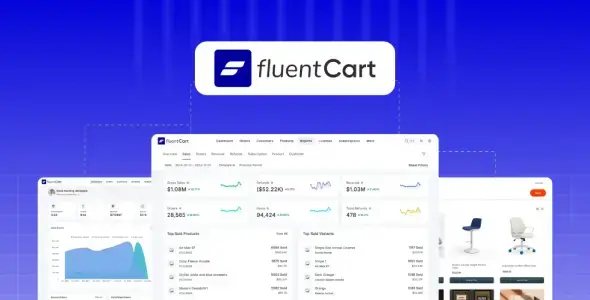
FluentCart Pro is not a WordPress theme; it is a GPL-licensed eCommerce plugin that supplies the store engine while the active theme handles the site shell. It targets digital-download shops, licensed software vendors, subscription businesses, service sellers, and conventional physical-product stores.
Its main distinction from WooCommerce is architectural. Orders, customers, and other commerce records live in dedicated database tables instead of being pushed through WordPress post and post-meta storage. That should make the data layer easier to query at scale, although real-world throughput still depends on hosting, catalog design, and third-party integrations.
Less Extension Tetris, More Store Logic
- Physical and digital product handling: Manages variations, SKUs, stock, downloadable files, categories, invoices, and shipping slips from the same backend.
- Subscriptions and software licensing: Supports recurring billing, trials, setup fees, renewal tracking, license generation, and automatic access revocation.
- Checkout and payment tooling: Includes customizable checkout blocks, coupons, Stripe and PayPal support, plus an extension path for custom gateways.
- Reporting beyond basic order totals: Tracks revenue, average order value, refunds, customer value, subscriptions, renewals, and churn. Granular reporting is one of the Pro-level use cases.
- WordPress-native storefront components: Product grids, product pages, checkout elements, and buy buttons can be placed with blocks or shortcodes. Elementor widgets are available through a separate FluentCart add-on.
- Useful first-party connections: Integrations include FluentCRM, FluentAffiliate, Fluent Support, FluentCommunity, Ninja Tables, FluentBooking, and WP Social Ninja. LearnDash, LifterLMS, Eventin, Bit Integrations, and FlowMattic cover several common external workflows.
- Developer-facing extension layer: Documented actions, filters, models, query tools, REST endpoints, and custom payment-gateway examples make the plugin suitable for bespoke builds and headless storefronts.
There are caveats. FluentCart does not inherit WooCommerce’s huge extension marketplace, so an obscure ERP, courier, or regional gateway may require middleware or custom code. Elementor support is add-on based, while official ACF and WPML integrations are not documented as core features. Teams migrating a heavily customized WooCommerce build should audit every dependency rather than expecting drop-in parity.
Where the Stack Makes Practical Sense
The strongest fit is a self-hosted software shop, asset library, membership offer, compact DTC catalog, or agency-managed subscription site. Developers gain particular value when licensing, recurring payments, CRM automation, and reporting would otherwise require several loosely coupled plugins.
A marketplace with complex vendor commissions, warehouse orchestration, or a long tail of legacy WooCommerce extensions is a less obvious candidate. FluentCart is extensible, but custom development can erase the convenience gained from its lean core.
Customization Without Editing the Plugin
Configuration lives primarily in FluentCart’s dashboard, store builder, blocks, widgets, and checkout settings—not in a traditional theme-options panel or the WordPress Customizer. Standard CSS can handle branding and component-level adjustments. Structural changes should use documented hooks, filters, REST APIs, or a small companion plugin.
Site-wide files such as header.php, footer.php, and archive.php remain the responsibility of the active theme. If those need modification, overrides belong in a child theme. Editing FluentCart core files is update-hostile and unnecessary for normal customization.
The vendor describes a modular codebase with typed, commented PHP, modern JavaScript, and lightweight scripts. Separate tables are a credible performance choice, but no stable public CSS/JS bundle-size benchmark is provided; asset weight should therefore be checked on the actual build rather than repeated as a marketing number.
Questions Developers Ask Before Committing
Does FluentCart Pro require WooCommerce?
No. It is an independent commerce engine and does not use WooCommerce as a dependency.
Can it run headless?
Yes. FluentCart documents REST endpoints and presents the frontend layer as decouplable for React, Vue, mobile, or custom clients.
Is Gutenberg supported?
Yes. Store elements are available as WordPress blocks, with shortcodes for placements where blocks are inconvenient.
Should templates be copied into a child theme?
Not by default. Use FluentCart hooks and filters for commerce output; reserve child-theme overrides for files owned by the active WordPress theme.
Reviews
There are no reviews yet.