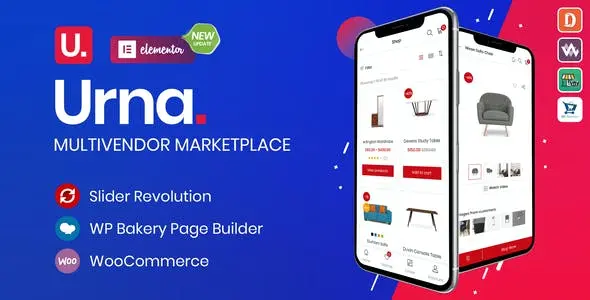
Urna is a multipurpose WooCommerce WordPress theme built for online stores, multi-store projects, and vendor marketplaces. It gives retailers, agencies, and marketplace operators a broad selection of ready-made designs while keeping product discovery and catalog management at the center of the experience. The theme is suitable for stores selling fashion, furniture, electronics, and other physical goods.
Store Features Built Around Product Discovery
Urna combines adaptable storefront layouts with practical shopping tools. Instead of forcing every business into one design, it provides more than 29 demos and numerous catalog configurations. Store owners can choose an appropriate starting point, import demo content, and then adjust the presentation through the theme settings and supported page builders.
Key capabilities include:
- 29+ pre-built demos: Start with a complete design for a conventional shop, specialist retailer, multi-store website, or marketplace instead of creating every page from scratch.
- Flexible catalog presentation: Choose from 16 shop layouts, grid or list views, and several product image modes to present large or compact catalogs more clearly.
- AJAX product search and SKU lookup: Help shoppers locate products without relying only on category navigation, including searches based on product SKU.
- Quick shopping tools: Quick View, wishlists, product comparison, recently viewed items, size guides, product videos, and countdowns provide useful information during product selection.
- Configurable cart experience: AJAX cart functionality and left, right, or popup mini-cart positions let the cart fit different storefront layouts.
- Marketplace compatibility: Urna works with Dokan, MultiVendorX, WCFM Marketplace, and WC Vendors, allowing it to serve as the visual foundation for a multi-vendor shop.
- Mobile and multilingual presentation: Responsive layouts, a dedicated mobile menu, RTL support, and WPML compatibility help stores serve customers across devices and languages.
Where Urna Fits Best
The theme is designed for businesses that need more flexibility than a single-purpose shop template provides. A fashion retailer can use visual product grids, image-focused pages, size guides, and wishlists. An electronics store can combine SKU search, comparison tools, product videos, and list views to make technical catalogs easier to browse.
It is also relevant to agencies building WooCommerce sites for different retail niches. The demo library and varied shop layouts make it possible to establish distinct storefronts without changing themes for each project. Marketplace operators can pair Urna with one of its supported multi-vendor plugins, while wholesalers or product showcases can use catalog mode when direct purchasing is not required.
From Demo Import to Store Customization
Urna includes one-click demo content import for setting up an initial site structure. After import, pages can be edited with WPBakery Page Builder, while Elementor is also supported. Theme options powered by the Redux framework control broader design and store settings, and custom CSS or JavaScript can be added through the settings area when more specific adjustments are needed.
WooCommerce manages the product, cart, and checkout functions, while Urna determines how those elements are presented. Slider Revolution is supported for promotional sliders, and the mega menu can organize extensive departments or product categories. Additional options cover social links, product carousels, latest-post carousels, Mailchimp integration, and currency switching.
Urna is a practical choice for building a feature-rich WooCommerce storefront from an established set of layouts. Its value lies in the range of catalog formats, built-in shopping conveniences, and support for both standard retail and multi-vendor store structures.