
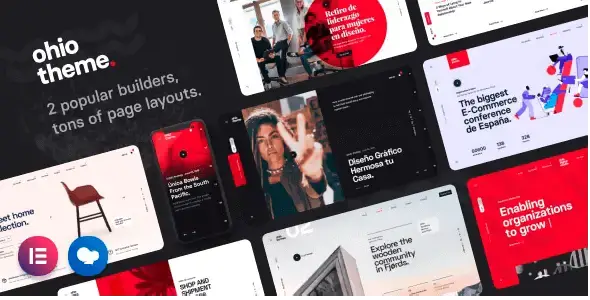
Ohio is a creative WordPress theme for building portfolio, agency, business, blog, and online store websites. It combines editable page layouts with dedicated presentation options for projects, posts, products, headers, and navigation. The theme is aimed at freelancers, design studios, founders, agencies, and retailers that need a visually distinctive site without creating every page structure from scratch.
Build Content-Rich Websites with Flexible Visual Layouts
Ohio supports Elementor and WPBakery, allowing pages to be assembled and edited through a visual builder. Its pre-designed demos provide practical starting points for different website types, while the theme settings control shared elements such as typography, headers, footers, blog archives, portfolio pages, and shop layouts.
The included content elements cover common business and promotional needs. They can be used to introduce services, display team members, publish testimonials, explain a process, create pricing tables, show client logos, or place calls to action. Dedicated portfolio and WooCommerce designs make the theme particularly useful when visual presentation is as important as written content.
- Elementor and WPBakery workflows: Choose the supported builder that fits the project and edit page sections visually instead of relying only on the standard WordPress editor.
- Importable website demos: Use an existing design as a starting point, then replace its text, images, colors, and page structure with brand-specific content. Demo import requires theme activation.
- Portfolio presentation options: Display projects in classic, minimal, metro, slider, carousel, split-screen, or interactive layouts, with multiple pagination and appearance effects available.
- WooCommerce layouts: Create product archives and individual product pages using classic, grid, sticky-gallery, or split-screen presentation styles. Cart, checkout, account, and product-category pages are also covered.
- Practical content widgets: Add accordions, banners, galleries, counters, pricing tables, testimonials, team profiles, videos, service tables, contact forms, and other reusable sections.
- Multiple navigation styles: Select from standard, centered, sidebar, boxed, and hamburger menu designs to match the site’s content hierarchy and visual direction.
- Blog layout controls: Present articles through classic, minimal, split, compact, inner, simple, or wide archive formats, alongside several single-post designs.
Where Ohio Fits Best
The theme suits creative agencies that need service pages and case studies, freelancers who want project-led portfolios, and studios presenting photography, branding, architecture, or digital work. Its shop layouts also make it relevant to design-focused retailers that want WooCommerce products to share the same visual language as editorial and portfolio content.
Ohio can support a combined website rather than a single-purpose landing page. A business may publish articles, showcase completed projects, explain services, introduce its team, and sell products from one WordPress installation.
From Installation to a Customized Site
After installing and activating the theme, the required plugins can be installed from the WordPress dashboard. An activated license is required to import demo content and access all Ohio features. During demo import, users can select Elementor or WPBakery as the builder.
Imported pages provide the initial structure, but the homepage and navigation menu must be assigned separately in WordPress. Broader styling and layout decisions are managed through Ohio’s theme settings, including typography, header, footer, blog, portfolio, and shop options. Individual pages and content sections can then be adjusted in the selected builder.
Ohio is a practical choice for websites that need strong visual storytelling, structured project displays, editorial content, and WooCommerce functionality within one consistent design system.
Reviews
There are no reviews yet.