
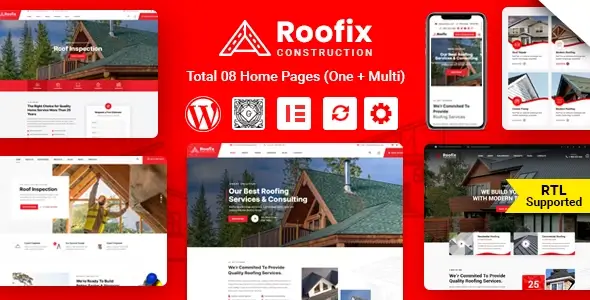
Roofix is built for roofing contractors, roof-repair crews, and exterior-service companies that need to show what they do and where they have done it. Its service and project layouts make more sense for that job than a general-purpose corporate theme: a visitor can move from a specific repair or installation service to completed work without digging through generic portfolio pages.
What Roofix does
- Elementor page building: The theme includes roofing-oriented widgets and premade layouts, so editors can assemble service pages without rebuilding every section from scratch.
- Service layouts: Three layout options give agencies a starting point for separating inspections, repairs, replacements, and other offerings.
- Project layouts: Four options help present completed jobs—useful when photographs and job details do more selling than a long block of copy.
- Header choices: Multiple desktop and mobile header layouts leave room to prioritize a phone number or quote-request link.
- WooCommerce compatibility: The theme can accommodate a shop alongside the main service site, rather than forcing a separate storefront design.
- WPML compatibility: Multilingual sites have a supported translation route, although the translation plugin and translated content still need to be set up.
- Redux theme options: Site-wide presentation settings can be managed from an admin panel instead of being repeated across individual Elementor pages.
Roofix does not turn WordPress into a contractor CRM. Booking or enquiry workflows may need configuration and additional plugins; the theme alone should not be treated as a dispatch or estimating system. Nor is it a natural fit for a large, filter-heavy product catalogue. Its strongest layouts are aimed at services and completed projects, not complex product discovery.
Where it fits
A small roofing firm could use Roofix for a service-led site with job galleries and a clear path to contact. For a freelancer or agency, the premade layouts are a workable baseline when several local-contractor pages must be delivered quickly. The trade-off is familiarity: a site that keeps the demo imagery, copy structure, and every default section will look like a demo. Real job photos and sharply scoped service pages matter more here than adding another animation.
Setup and customization
Roofix uses Elementor for page-level composition and a Redux-powered options panel for broader theme settings. That division is practical: change a service-page section in Elementor, then use theme options for supported site-wide choices. The author also provides a one-click demo-import walkthrough, which can speed up the initial build; imported content still needs to be checked and replaced before launch.
Changes beyond the exposed options—such as rewriting header markup or altering how an archive renders—belong in a child theme. Depending on the templates supplied by the installed version, that may mean overriding files such as header.php or archive.php; inspect the actual theme package before planning an override. No verified CSS/JS bundle measurements or independent code audit are available here, so claims that Roofix is lightweight or exceptionally clean would be guesswork. Elementor layouts and any enabled plugins should be profiled on the finished site, particularly on mobile.
FAQ
Which page builder does Roofix use?
Elementor. The developer lists theme-specific Elementor widgets and premade layouts.
Can it run a multilingual site?
Yes. The developer lists WPML compatibility; translations must still be prepared and maintained.
Does it work with WooCommerce?
Yes. WooCommerce compatibility is listed by the developer.
Are there layouts for services and completed jobs?
Yes. The ThemeForest listing describes three service layouts and four project layouts.
Reviews
There are no reviews yet.